How To Verify 501(c)(3) Status
Before donating to a nonprofit, it’s smart to confirm its 501(c)(3) status. Why? Only donations to IRS-recognized 501(c)(3) organizations are tax-deductible. If the nonprofit has lost its status or isn’t recognized, your donation won’t qualify for a deduction. Plus, it ensures your money supports legitimate causes.
Here’s how to verify a nonprofit’s status:
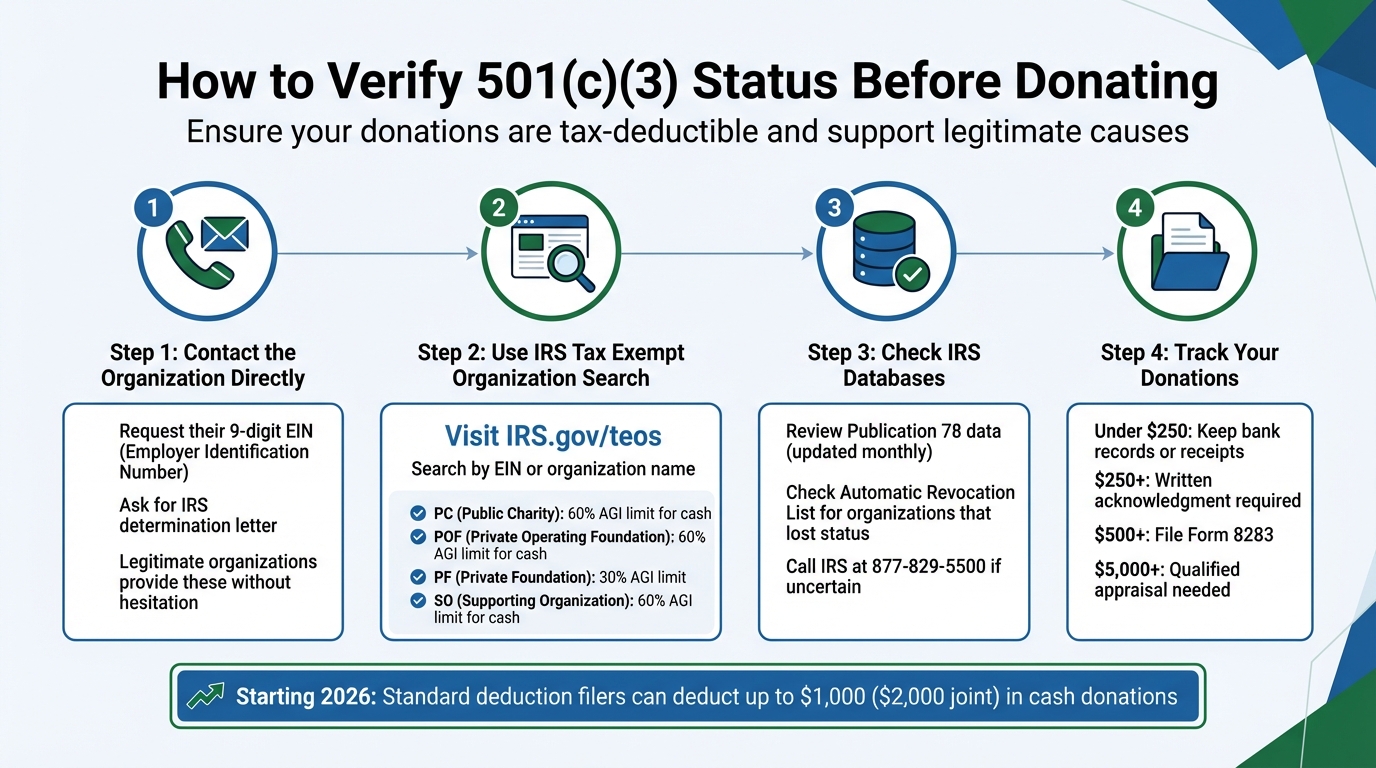
- Ask the Organization: Contact the nonprofit directly and request their EIN (Employer Identification Number) and IRS determination letter.
- Use the IRS Search Tool: Visit the IRS Tax Exempt Organization Search (TEOS) at IRS.gov/teos. Search by EIN or name to confirm their status and check for revocations.
- Check IRS Databases: Use Publication 78 data and the Automatic Revocation List for additional confirmation.
- Keep Records: Track donations with proper documentation to ensure tax deductions.
Starting in 2026, new tax laws allow standard deduction filers to deduct up to $1,000 in cash donations ($2,000 for joint filers) to qualified charities. Verifying 501(c)(3) status is key to benefiting from this change.
4-Step Process to Verify 501(c)(3) Nonprofit Tax-Exempt Status
How Donors Verify 501(c)(3) Status: TEOS, Determination Letters & Databases
sbb-itb-e723420
Step 1: Contact the Organization Directly
The easiest way to confirm a nonprofit's 501(c)(3) status is to reach out to the organization directly. Reputable charities are usually more than willing to share their IRS verification documents. Simply call or email their administrative office or headquarters and ask for the specific paperwork that confirms their tax-exempt recognition.
Request the Employer Identification Number (EIN)
Begin by asking for the nonprofit's nine-digit Employer Identification Number (EIN). This number, assigned by the IRS, serves as the most reliable way to look up a nonprofit in federal databases [2]. Legitimate organizations will provide their EIN without hesitation. If they refuse, it’s a potential warning sign.
"Searching by EIN is the most direct method to ensure you have found the correct entity." - LegalClarity Team [2]
Using the EIN eliminates confusion caused by similar-sounding names or organizations operating under "doing business as" (DBA) names. This is especially important because scammers often create names that closely mimic well-known charities to mislead donors [2][3].
Ask for a Determination Letter
Another key document to request is the nonprofit's IRS determination letter. This official letter confirms their tax-exempt status and specifies whether the organization is classified as a public charity or a private foundation, which can impact your tax deductions.
Keep in mind that certain groups, like churches, church conventions, and their integrated auxiliaries, are not required to provide determination letters or file annual returns [2]. Similarly, small nonprofits with annual gross receipts of $50,000 or less may only file Form 990-N (e-Postcard) instead of full tax returns [2]. If a local chapter claims to operate under a "group exemption" tied to a national organization, ask for the parent organization's name and EIN to verify their status [2]. Once you have these details, you can move on to Step 2 and use the IRS search tool for further verification.
Step 2: Use the IRS Tax Exempt Organization Search Tool
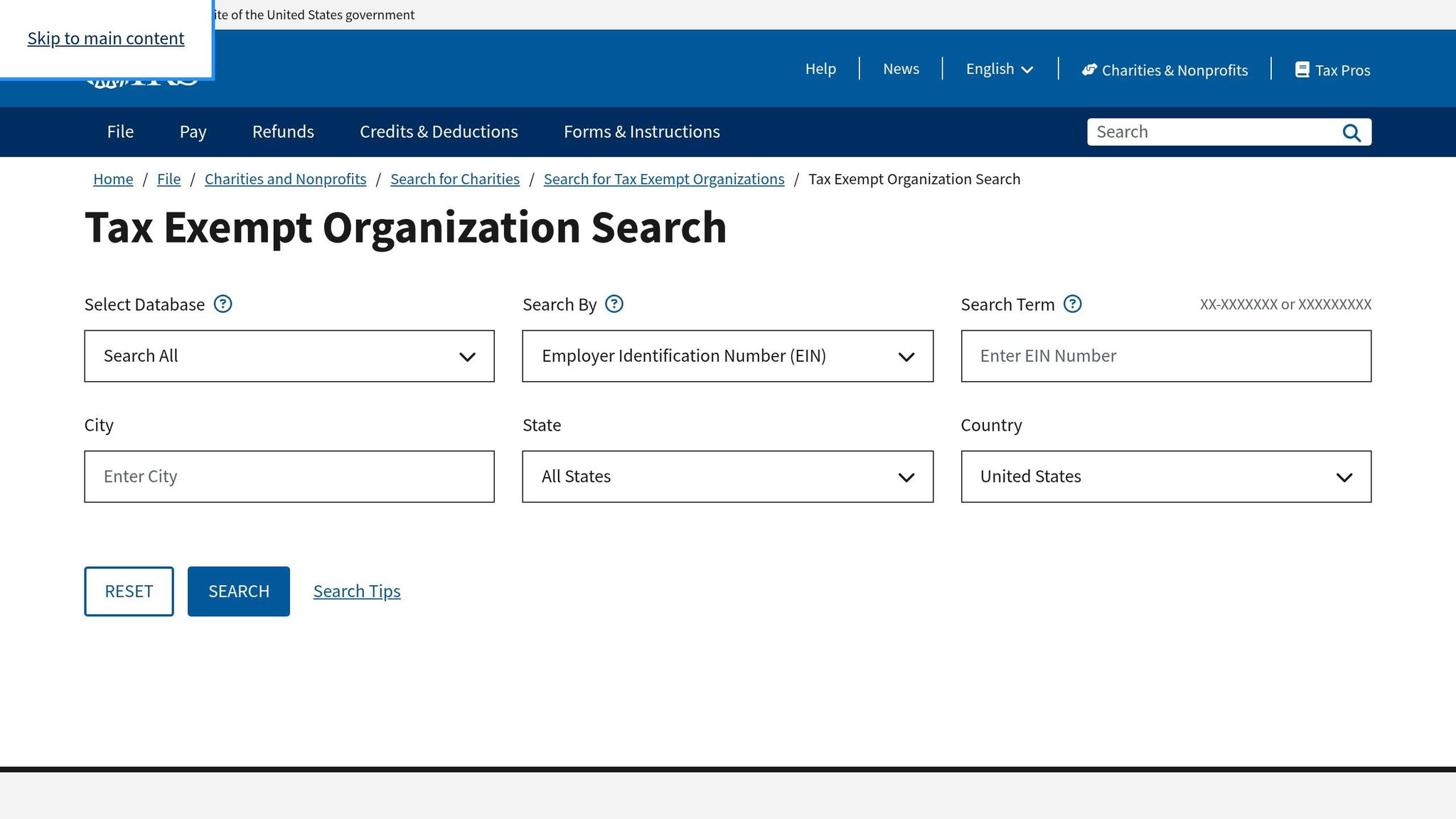
Once you have the nonprofit's EIN or legal name, head over to the IRS Tax Exempt Organization Search (TEOS) tool at IRS.gov/teos. This free online database is the go-to resource for confirming whether an organization is a recognized 501(c)(3) and eligible to accept tax-deductible donations. It also provides access to key documents like determination letters, recent tax filings (Forms 990, 990-EZ, and 990-PF), and records of revocations [1]. This step builds on your initial verification by connecting you directly to the latest IRS records.
Search by Organization Name or EIN
To get started, enter the nonprofit's nine-digit EIN or legal name into the search bar. Using the EIN is usually more accurate, as it avoids confusion that might arise from similar or identical organization names. Once entered, the tool will display results you can sort by criteria like name, EIN, state, or country to pinpoint the correct entity.
Understand the Search Results
The search results will show details like the organization's federal tax status, deductibility indicator, and whether its tax-exempt status has been revoked [1]. Pay close attention to the deductibility indicator, as it determines how much of your donation you can claim as a deduction. Here's a quick guide to understanding the codes:
| Code | Type of Organization | Deductibility Limit (% of AGI) |
|---|---|---|
| PC | Public Charity | 50% (60% for cash) [5] |
| POF | Private Operating Foundation | 50% (60% for cash) [5] |
| PF | Private Foundation | 30% [5] |
| SO | Supporting Organization | 50% (60% for cash) [5] |
Additionally, you can use the tool to check the Automatic Revocation List, which shows organizations that have lost their tax-exempt status for failing to file required returns for three consecutive years. If the nonprofit is listed as active and compliant, you can move forward with your donation, knowing it qualifies for a tax deduction.
Step 3: Check IRS Databases for Additional Information
After using TEOS, it's essential to dig deeper and verify a nonprofit's eligibility by consulting additional IRS databases. TEOS integrates Publication 78 data, providing real-time updates on whether a nonprofit is recognized under Section 170(c) of the Internal Revenue Code, which governs tax-deductible donations [6]. Here's how to make the most of these resources.
Review the Publication 78 Data
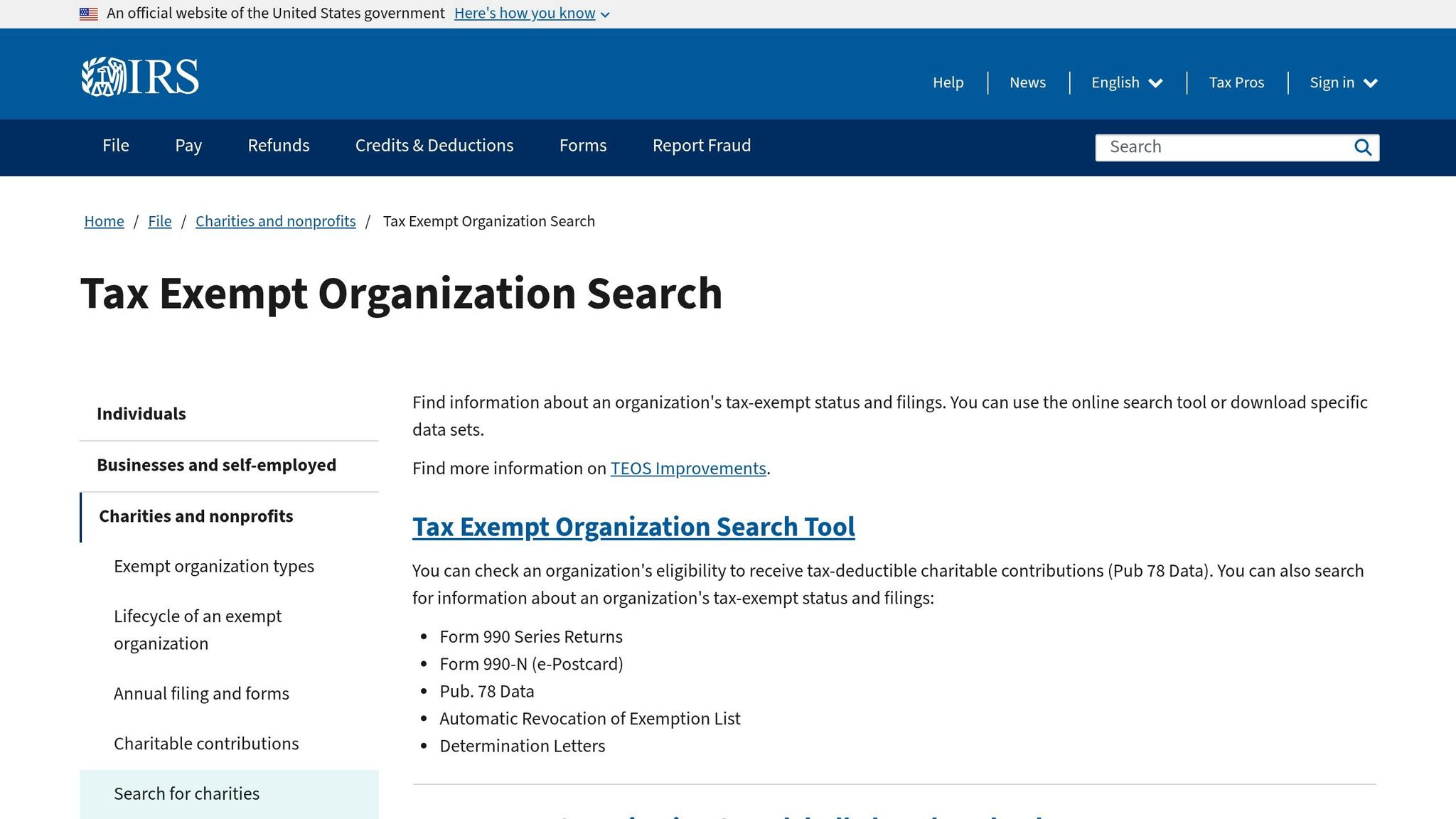
Once you've completed your TEOS search, use Publication 78 data to confirm the nonprofit's legal registration and eligibility for tax-deductible contributions. Keep in mind that this database only lists the legal business name registered with the IRS - not any "doing business as" (DBA) names. To avoid unnecessary confusion, always search using the organization's EIN [9]. The database is updated monthly, ensuring you have access to the latest information.
However, it's worth noting that some eligible entities, like churches or governmental units, may not appear in Publication 78. In such cases, you should verify their status through direct documentation [10].
Check the Automatic Revocation List
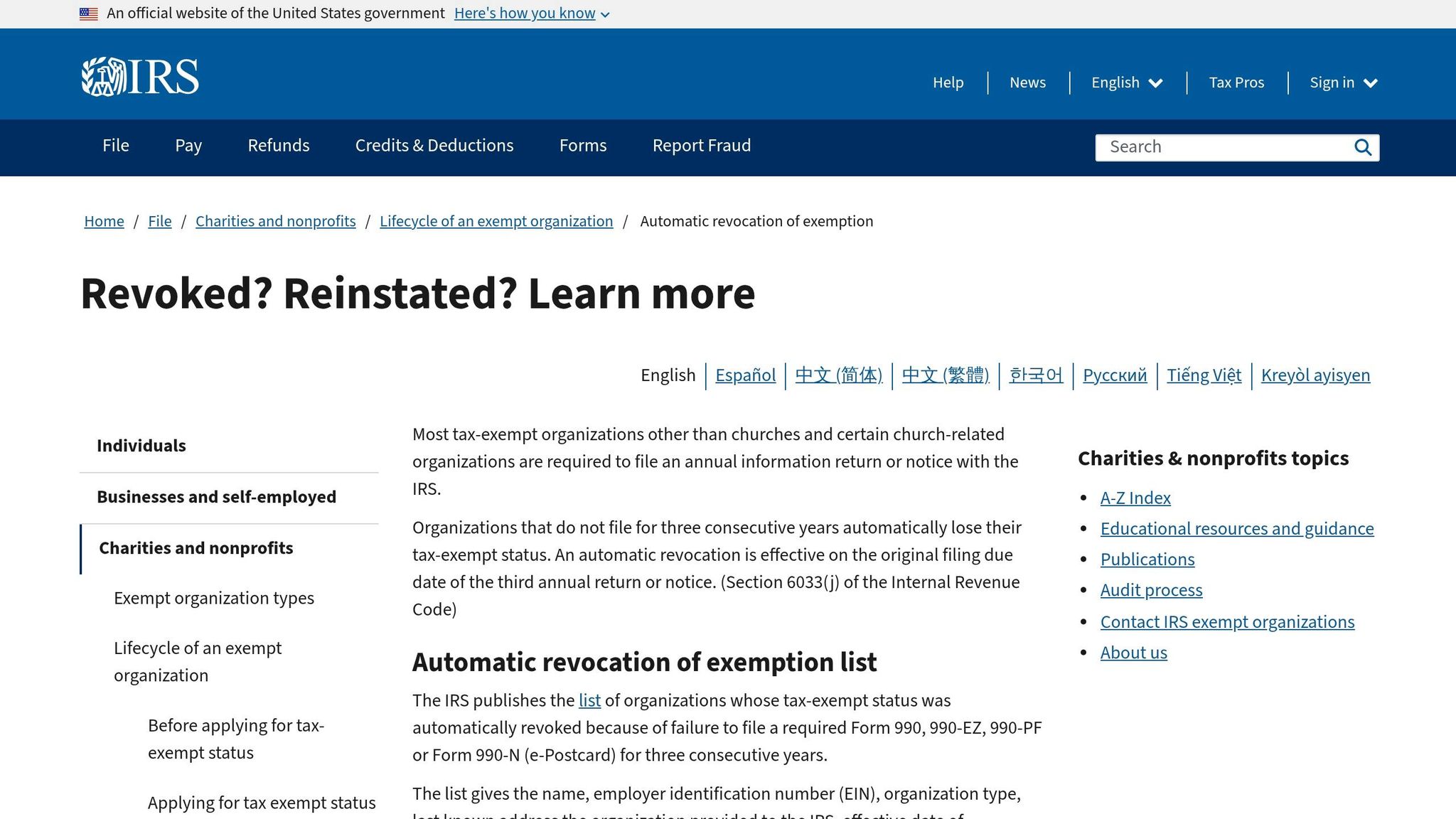
The Automatic Revocation List serves as a permanent record of organizations that lost their tax-exempt status due to failing to file Form 990-series returns for three consecutive years [7][8]. Even if an organization later regains its tax-exempt status, its name will remain on this list [8]. As Charles Young explains:
"Presence of an organization's name on the Auto-Revocation List doesn't necessarily reflect its current tax-exempt status" [10].
To determine if an organization has been reinstated after appearing on this list, cross-check Publication 78 data within TEOS or look for a "Ruling Date" in the IRS Master File that falls after the revocation date [8]. If you're still uncertain, you can call IRS Customer Account Services at 877-829-5500 for confirmation [8]. If the organization has been reinstated, ask for their new determination letter, which should show an effective date after the revocation date [8].
Taking these extra steps ensures you're confident in the nonprofit's eligibility to receive tax-deductible donations.
Step 4: Organize and Track Verified Donations
Once you’ve confirmed the 501(c)(3) status of a charity, the next step is keeping accurate records of your donations. This is crucial for claiming tax deductions. In fact, the IRS often rejects deductions due to incomplete documentation [12]. Even if you can prove you donated, missing the right paperwork could still result in a denied deduction.
Document Your Contributions
The IRS has specific guidelines for documenting donations, depending on the amount and type:
- Cash or non-cash donations under $250: You’ll need a bank record (like a canceled check or credit card statement) or a receipt that includes the charity’s name, date, and location [13].
- Donations of $250 or more: A written acknowledgment from the charity is required before filing your tax return. This must include the charity’s name, the date and amount of the donation, and whether any goods or services were received in return [12].
For non-cash donations over $500, you’ll need to file IRS Form 8283. If the donation exceeds $5,000, a qualified appraisal is also required [12][13]. Be sure to photograph donated items and note their condition, as the IRS generally only allows deductions for items in "good used condition or better" [11]. If you’re driving for charitable purposes, track your mileage - it’s deductible at 14¢ per mile [14].
Use Technology for Simplified Tracking
Once your documentation is in order, digital tools can help make tracking even easier. One standout option is Deductible.me, an app designed to manage donations and generate IRS-compliant reports. It uses AI to estimate fair market values for items like clothing and household goods, ensuring accurate valuations. You can also upload photos of donated items and receipts for visual proof.
The app automatically keeps tabs on important IRS thresholds, such as the $250 requirement for written acknowledgments and the $500 filing trigger for Form 8283, so you don’t miss out on key paperwork. Deductible.me offers a free plan for tracking up to $500 in donations, while its premium plan ($2/month) includes unlimited tracking, advanced receipt management, and reports ready for Form 8283. Both plans store your records securely for seven years, making it easy to share them with your tax preparer when needed.
Conclusion
Taking the time to verify a charity's 501(c)(3) status before donating not only protects you from scams but also ensures your money supports legitimate causes. Using tools like the IRS Tax Exempt Organization Search can save you from headaches during tax season.
It’s also important to understand the difference between donating to a public charity (which allows for cash gift deductions up to 60% of your AGI) and a private foundation (usually capped at 30%) [4]. Knowing this can help you make the most of your tax benefits.
Finally, keep your donation records well-organized. Missing or incomplete documentation could mean losing out on deductions. Whether you prefer manual tracking or digital tools, having a system in place will make tax preparation easier and ensure your records meet IRS standards. These small steps go a long way in making your charitable giving both responsible and rewarding.
FAQs
What if the nonprofit’s name doesn’t show up in TEOS?
If a nonprofit’s name doesn’t appear in TEOS (Tax Exempt Organization Search), it might not be recognized as a tax-exempt organization by the IRS. This could happen for a few reasons - perhaps the nonprofit isn’t registered, operates under a different name, or holds a different registration status. To confirm its tax-exempt status, review the nonprofit’s IRS determination letter or reach out to the IRS directly for verification.
How can I tell if a revoked charity was reinstated?
To check if a revoked charity has regained its tax-exempt status, use the IRS Tax Exempt Organization Search (TEOS) tool. This resource provides the latest information on an organization's tax-exempt status and confirms if donations to them are tax-deductible. If a charity has been reinstated, its status will be updated in the IRS database. Additionally, official revocation notices are published in the Internal Revenue Bulletin for reference.
What donation records do I need for my tax return?
For donations of $250 or more, you'll need a written acknowledgment from the charity. Make sure to get this by the earlier of your filing date or the tax return due date (including any extensions).
For donations under $250, a bank record or receipt showing the amount, date, and the organization's name will do. Keep supporting documents like canceled checks or bank statements to back up your cash donations and stay compliant with IRS rules.