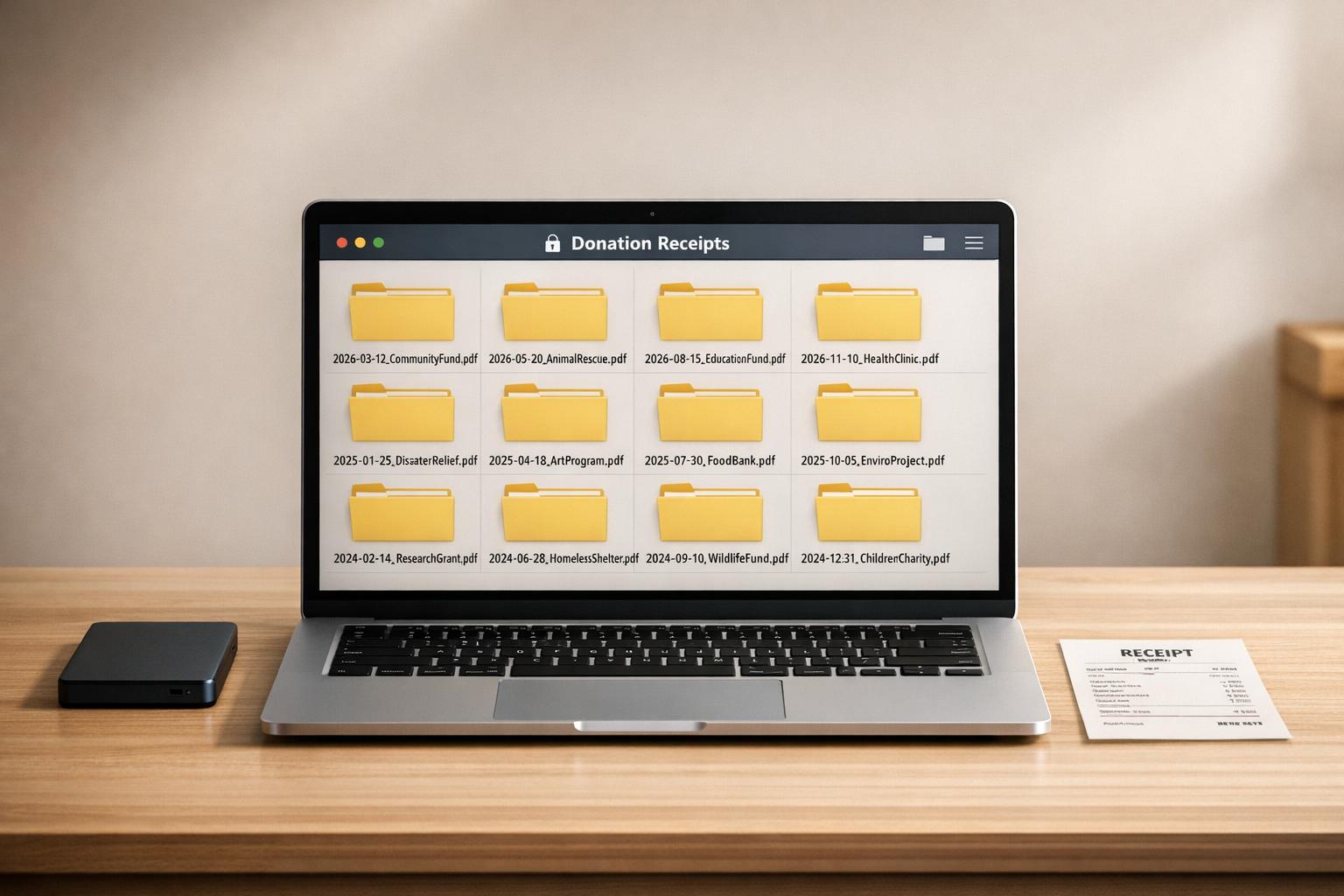
Ultimate Guide to Digital Donation Receipt Storage
Keeping your donation receipts organized and IRS-compliant is easier with digital storage. Paper records can fade, get lost, or fail to meet IRS standards, putting potential tax deductions at risk. By switching to digital tools, you can securely store, organize, and access receipts anytime, ensuring you're prepared for tax season or audits.
Here’s what you need to know:
- IRS Requirements: Digital receipts must be legible, searchable, and securely stored. Keep records for at least 3 years after filing, or up to 7 years for complex cases.
- Key Details for Receipts: Include the charity’s name, donation date, amount, and any goods/services received.
- How to Digitize: Use your smartphone to scan receipts immediately, name files consistently (e.g.,
YYYY-MM-DD_Charity_Amount.pdf), and store them in the cloud. - Tools to Simplify: Platforms like Deductible.me offer features like AI-powered scanning, encrypted storage, and IRS-compliant reporting, starting at $0/month.
Switching to digital storage not only protects your records but also saves time and ensures you’re maximizing your deductions.
🧾 How to Scan & Organize Receipts! The Easy Way
sbb-itb-e723420
IRS Requirements for Digital Donation Receipts
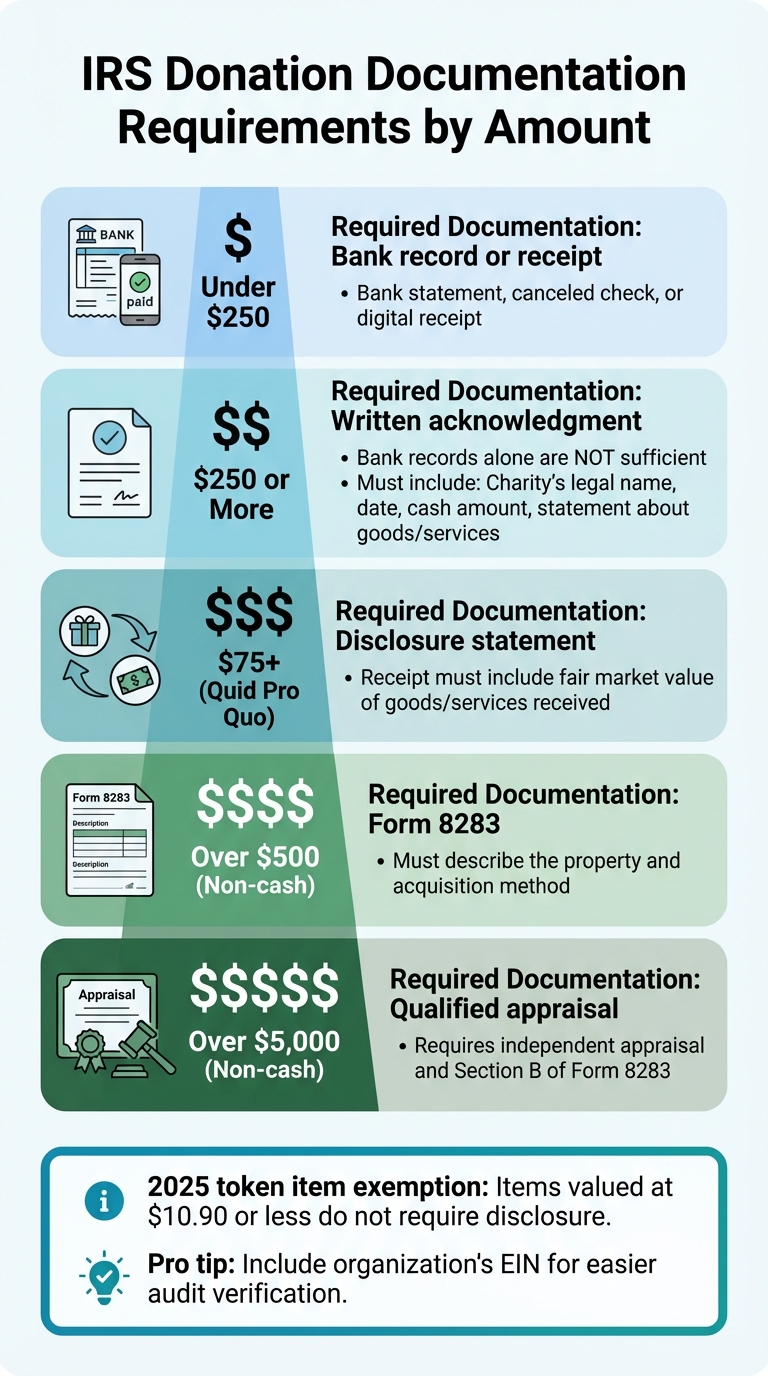
IRS Donation Documentation Requirements by Amount
The IRS has specific guidelines for what makes a digital donation receipt acceptable. A digital receipt or scan is valid as long as it is legible, authentic, searchable, and securely stored. Once the digital version is created and meets these criteria, the original paper record can be destroyed [5].
These requirements are especially important because documentation lapses can lead to serious audit findings. In fact, over 30% of nonprofit audit issues stem from inadequate substantiation of charitable contributions. Additionally, around 68% of IRS examination adjustments for small nonprofits are due to poor documentation - not fraud [5].
How Long to Keep Donation Records
The IRS recommends keeping donation records for at least three years after filing your tax return. However, if income is underreported by 25% or more, the IRS may review records up to six years. Many experts suggest holding onto records for seven years to be safe, and certain documents - like Form 8283 and annual summaries - should be retained permanently [5][1][3].
What Makes a Digital Receipt IRS-Compliant
For donations of $250 or more, the IRS requires a contemporaneous written acknowledgment from the charity. A bank record or canceled check alone will not suffice. This acknowledgment must be obtained before filing your tax return [3][5].
An IRS-compliant digital receipt should include the following:
- Charity's legal name
- Date of the contribution
- Cash amount donated (or a detailed description of non-cash property, though the charity should not assign a value)
- Statement about goods or services: Clarify whether any were provided in exchange for the donation.
If goods or services were received (for donations exceeding $75), the receipt must also include a good-faith estimate of their value. Failure to include proper quid pro quo disclosures can result in an IRS penalty of $10 per contribution, capped at $5,000 per fundraising campaign [5].
| Donation Amount | Required Documentation | Key Details |
|---|---|---|
| Under $250 | Bank record or receipt | Bank statement, canceled check, or digital receipt [5][1] |
| $250 or More | Written acknowledgment | Bank records alone are not sufficient [5][3] |
| $75+ (Quid Pro Quo) | Disclosure statement | Receipt must include the fair market value of goods/services received [5][3] |
| Over $500 (Non-cash) | Form 8283 | Must describe the property and acquisition method [5][1] |
| Over $5,000 (Non-cash) | Qualified appraisal | Requires independent appraisal and Section B of Form 8283 [5][3] |
For 2025, token items valued at $10.90 or less do not require disclosure as goods or services [5]. While not mandatory, including the organization's Federal Tax ID (EIN) on the receipt is a smart practice to simplify verification during an audit [4][5].
How to Digitize Your Donation Receipts
If you're looking to simplify your record-keeping, digitizing donation receipts is the way to go. Following IRS standards for digital receipts, you can easily turn paper records into compliant digital files without needing fancy equipment or technical know-how.
Your smartphone is your best ally here. With modern mobile scanning apps, your phone's camera can transform receipts into polished PDFs in seconds. These apps straighten images, enhance contrast, and ensure your receipts are clear and legible. By scanning receipts immediately, you create traceable and organized records that are ready when tax season rolls around.
"A wadded, barely readable thermal receipt is a common problem... the most effective solution is prevention. Make it a habit to scan every receipt the moment you get it."
Many apps now use OCR (optical character recognition) to pull key details - like the charity name, date, and donation amount - right from your scanned image. Some tools even categorize spending with up to 99% accuracy [6], saving you time and reducing errors. These searchable PDFs make finding receipts effortless when you need them most.
Step 1: Scan Receipts Right Away
The moment you receive a donation receipt, scan it. This habit not only keeps your records organized but also prevents costly mistakes. In 2022, over 20% of small business audits were triggered by missing or incomplete receipts, with an average of $15,000 disallowed per case [7].
For the best results, place receipts on a dark, flat surface with good lighting to improve OCR accuracy. Most scanning apps now automatically correct and enhance images, ensuring the information is captured clearly.
Step 2: Name and Tag Your Files
A consistent naming system is your secret weapon for staying organized. Use a format like YYYY-MM-DD_Charity_Amount.pdf. For instance, if you donated $50 to the Red Cross today, you’d name the file 2026-03-29_RedCross_$50.00.pdf. This method ensures your files are sorted chronologically and are easy to find.
To take things further, apply digital tags such as "Tax-Deductible", "Non-Cash", or even project-specific labels. These tags allow for multi-layered filtering, making it simple to locate specific records. Organize your receipts in a folder structure like Finances > 2026 > Charitable Donations to keep everything neat and accessible.
For email receipts, set up an automatic filter to direct them into a dedicated "Receipts" folder [6]. Once your files are named and tagged, store them securely in the cloud for added protection.
Step 3: Store Files in the Cloud
Cloud storage ensures your records are safe from hardware failures or accidental loss. Platforms like Deductible.me go a step further by offering IRS-compliant, encrypted storage designed specifically for donation receipts. With features like automatic backups, AI-powered valuation for donated items, and tools to track your giving goals, these services make managing your records seamless.
Since 1997, the IRS has accepted scanned and digital receipts as valid documentation, provided they are legible, identical to the original, and contain all necessary details [8][7]. Cloud storage also simplifies tax preparation - your preparer can access your receipts instantly, eliminating the need to sift through old files or forward countless emails.
Using Deductible.me for Receipt Management
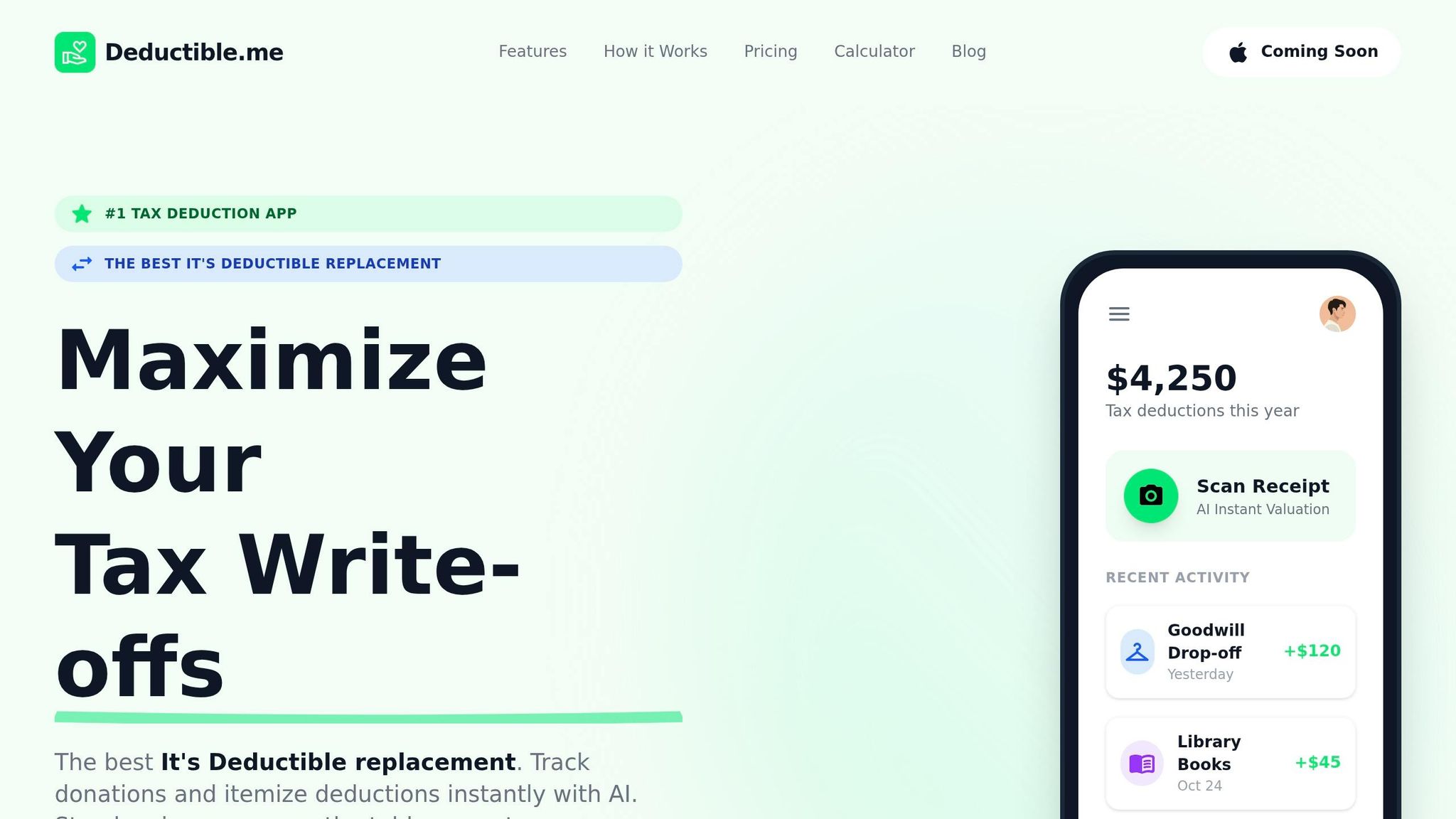
Managing receipts manually can be tedious, but Deductible.me takes the hassle out of the process by automating digital receipt storage. It centralizes all your donation records, transforming how receipts are handled. By blending AI technology with IRS-compliant storage, Deductible.me ensures your donations are properly documented right from the start.
What Deductible.me Offers
Deductible.me simplifies the process of recording donations with its AI assistant. It extracts key details like item names, conditions, and fair market values (FMV) from photos or descriptions. Just snap a picture of your receipts or donated items, and the AI takes care of the rest, eliminating the need for manual input. This visual record also verifies the condition of donated goods, meeting the IRS standard that items must be in "good used condition or better."
The platform generates itemized reports that organize your contributions, making it easier to fill out IRS Form 8283 for non-cash donations over $500. Each entry includes essential details like the charity's name, the donation date, a description, and whether any goods or services were received in return. Since the lack of proper documentation is a leading reason charitable deductions are denied by the IRS [9], Deductible.me’s instant logging system helps ensure compliance with IRS requirements.
In addition to receipts, the platform tracks all types of donations - goods, cash, and even volunteer mileage - giving you a complete view of your annual giving. It also suggests IRS-compliant values for donated items based on their condition, helping you claim accurate deductions. Considering that U.S. individuals donated $392.45 billion to charity in 2024 [2], having a reliable tracking system is essential during tax season. Every feature is designed with IRS standards in mind, aligning perfectly with the guide's focus on compliance.
Free vs. Premium Plans
Deductible.me offers flexible subscription plans to suit different needs:
| Plan | Price | Best For | Key Features | Limitations |
|---|---|---|---|---|
| Free | $0/month | Occasional donors | - Track up to $500 in donation value - AI photo scanning & valuation - Basic receipt tracking - IRS-compliant reports |
- Limited to $500 in tracking - No advanced analytics |
| Premium | $2/month | Frequent donors & businesses | - Unlimited donation tracking - Advanced receipt management - Form 8283 support - Annual giving goal tracking - Advanced analytics & insights - Priority support |
None |
The Free plan is ideal for those who donate occasionally and want to explore basic features without any cost. On the other hand, the Premium plan is tailored for regular donors or businesses, offering unlimited tracking and advanced tools - all for just $2 a month, less than the cost of a coffee.
With your donation tracking automated, the next section will guide you on keeping your digital receipt system secure and well-organized.
Maintaining Your Digital Receipt System
Once you’ve digitized your donation receipts, keeping them organized is crucial. Proper maintenance not only ensures compliance but also keeps you prepared for audits. All receipts need to be clear, complete, and stored correctly. Why is this so important? In 2022, over 20% of small business audits were triggered by missing or incomplete receipts. These documentation issues led to an average disallowance of $15,000 per case [7]. The same level of scrutiny applies to charitable deductions, making regular upkeep a must.
Review and Clean Up Your Files Annually
After digitizing your receipts, make it a habit to review them annually. Start by ensuring all stored images are clear and readable. If any scans have become illegible over time, reach out to the charity for duplicate copies. Eliminate duplicate entries, and cross-check your digital records with bank statements to verify every donation.
Once you’ve confirmed everything is in order, archive receipts that have met their retention period. For standard donations, keep receipts for three years from your filing date. However, if you’ve made complex gifts involving appraisals or carryovers, retain those records for seven years [1][7]. If income underreporting exceeds 25%, the retention period extends to six years [7].
For recurring monthly donations, you can simplify things by requesting an annual summary statement from the charity instead of keeping individual receipts for each month. Additionally, ensure your digital records for non-cash donations include photos showing the items were in "good used condition or better." This is essential, as the IRS often denies deductions for damaged goods [9].
When to Shred Paper Receipts
Only shred your paper receipts after confirming that your digital copies are clear, complete, and match the originals [7]. Double-check that the scanned version includes all critical details: the charity’s name, donation date, description, and amount. Skipping this step could leave you unprepared - about 75% of entrepreneurs discard receipts prematurely, which makes them vulnerable during audits [7].
"Without a receipt, a legitimate expense is merely a claim. With one, it becomes a verifiable fact that directly reduces your taxable income." - Smart Receipts [7]
For high-value donations or complex gifts requiring appraisals, some experts suggest keeping physical originals for the full retention period. However, if your digital copies are securely backed up to the cloud and meet IRS standards, holding onto paper versions may be unnecessary. Whether digital or physical, make sure you retain these records for at least three years - and longer for more complex situations. Staying on top of your recordkeeping ensures you’re always ready for an IRS review.
| Document Type | Minimum Retention Period | Reason |
|---|---|---|
| Standard Donation Receipts | 3 years from filing date | Standard IRS statute of limitations [1][7] |
| Complex Gifts/Appraisals | 7 years | Protection for complex financial cases [2][1][3] |
| Underreported Income (>25%) | 6 years | Extended IRS review period [7] |
| Fraudulent Returns | Indefinitely | No time limit for IRS action [7] |
Conclusion
Switching to digital donation receipt storage transforms the clutter of paper records into an organized, efficient system. This approach provides instant access to your records, visual proof of donated items' conditions, and automated reports that are tax-ready - all while offering protection during audits. Considering that individual donors are projected to contribute $392.45 billion in 2024 [2], keeping proper documentation is more important than ever.
Digital receipt storage goes beyond just convenience - it ensures you're prepared for audits. It eliminates the risks of faded receipts, misplaced paperwork, and missing records, which are the most common reasons charitable deductions are denied by the IRS [9].
This shift is made easier with tools like Deductible.me, which automates fair market value calculations, creates IRS-compliant reports, and keeps all donation receipts in one searchable place. They even offer a free plan for basic tracking, with a premium option at just $2/month for unlimited and advanced features.
To get started, log your donations as soon as possible, take clear photos of non-cash items, and double-check digital copies before discarding paper originals. Whether you donate occasionally or manage significant contributions, digital donation receipt storage helps you maximize your deductions while staying fully compliant with IRS guidelines.
FAQs
What counts as a valid digital donation receipt?
A proper digital donation receipt needs to feature key details: the donor's name, the organization's name, the date of the donation, and the donation amount. If the donation is $250 or more, the IRS requires a formal written acknowledgment from the charity to comply with their guidelines.
How do I handle receipts for non-cash donations?
To claim deductions for non-cash donations, it's crucial to follow IRS guidelines carefully. Start by accurately valuing, documenting, and describing the items you donate. For contributions exceeding $250, you'll need a written acknowledgment from the charity. This acknowledgment should include specific details about your donation, such as the item description and whether any goods or services were received in return.
Keeping these records organized is key to reducing audit risks and staying compliant. Using digital tools, like donation tracking apps, can make this process much easier. These apps help you store and manage your receipts efficiently, ensuring everything is in order when it's time to file your taxes.
What’s the safest way to back up donation receipts?
The best way to ensure your donation receipts are safe is by storing them digitally in a secure, cloud-based system that includes automatic backups. This approach safeguards your records from risks like loss, theft, or physical damage while keeping them easily accessible when needed.
Keeping well-organized digital copies with essential details - such as the date, donation amount, and recipient - also helps you stay compliant with IRS rules. This is especially important for donations over $250 or noncash contributions, as proper documentation ensures you're prepared for audits and meets all necessary requirements.