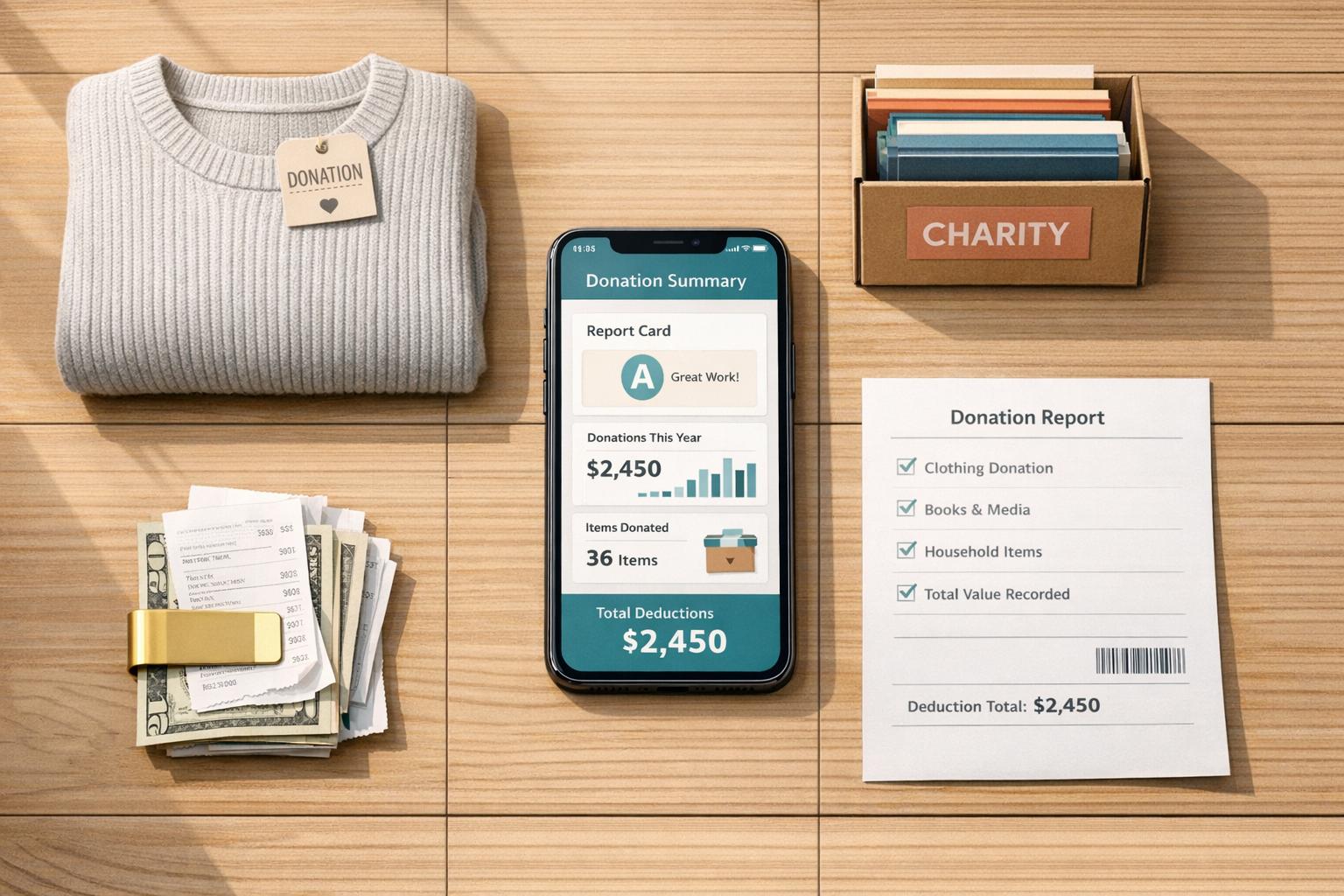
How Donation Tracking Apps Simplify Taxes
Keeping track of donations for tax deductions can be a hassle. From misplaced receipts to forgotten contributions, many taxpayers miss out on savings. Donation tracking apps solve this by organizing records, calculating item values, and generating IRS-compliant reports in real time. Here's how they help:
- Log donations instantly: Snap photos of receipts or items, and the app records details like dates, values, and charity names.
- Accurate valuations: AI tools estimate fair market values for donated goods using IRS-approved data.
- Audit-ready reports: Generate forms like IRS Form 8283 for non-cash donations over $500, complete with required documentation.
- Track all types of giving: Record cash, goods, and even volunteer mileage in one place.
These tools save time, reduce errors, and ensure you claim every deduction you're entitled to. Whether you're donating clothes or rounding up spare change, donation tracking apps make tax season less stressful and more efficient.
Donation Tracker (for Goodwill, etc.) Quick and Easy App

How Donation Tracking Apps Work
Donation tracking apps are a modern alternative to the old-school, manual way of keeping donation records. Instead of painstakingly logging every detail by hand, these apps use AI-powered tools to simplify the process. For example, you can snap a photo of the items you're donating, and the app uses image recognition to identify them and assess their condition. It even pulls in market data to provide accurate fair market values. What used to take 30 minutes of manual effort can now be done in just 30 seconds [5]. This quick and efficient data capture makes receipt management and reporting much easier.
These apps also streamline receipt management. Whether it's snapping a photo of a paper receipt, forwarding an email confirmation, or saving digital acknowledgments from charities, the app keeps everything organized. It tracks donation dates, charity names, and amounts, ensuring all your records are in one place. When tax season rolls around, the app generates IRS-compliant reports, including a pre-filled Form 8283 for non-cash donations over $500 [4].
Core Features of Donation Tracking Apps
The standout features of these apps highlight how they simplify donation tracking. Using AI-driven valuation, they rely on computer vision to evaluate donated items, determine their condition, and assign fair market values (FMV) based on IRS-approved data. Some apps even offer FMV data for over 1,300 commonly donated items, covering everything from clothes and books to furniture and appliances [4].
These apps also provide multi-modal tracking, allowing you to record cash donations, non-cash goods, and even volunteer mileage all in one place. This ensures that even small contributions are accounted for and can add up to meaningful deductions [5]. Additionally, the apps include threshold alerts to notify you when extra documentation is needed - for instance, a written acknowledgment for donations of $250 or more, or Form 8283 for non-cash donations exceeding $500 [1][2].
| Feature | Traditional Tracking (Excel) | Modern Donation Apps |
|---|---|---|
| Data Entry | Manual typing | AI Photo/Voice recognition |
| Valuation | User guesswork | AI-driven FMV/Market data |
| Reporting | Manual calculation | IRS-ready reports |
| Receipting | Manual/Paper | Digital receipts |
| Audit Readiness | Low (lost receipts) | High (cloud-stored data) |
Why Technology Makes Tax Compliance Easier
By automating data collection and report generation, donation tracking apps transform chaotic records into neatly organized, audit-ready files. The IRS has strict documentation requirements, and missing even one piece of paperwork can mean losing out on deductions. These apps capture donation details in real time, complete with timestamps, which helps eliminate common errors like forgotten receipts, incorrect values, or missing charity EINs [1][2].
Another major benefit is automated form generation. Instead of manually filling out forms like Schedule A or Form 8283, the app does the work for you. For instance, you can photograph your receipts, and the app will map the data directly to the correct tax forms.
"AI-driven tax assistance can analyze historical data to predict future tax liabilities, helping businesses make informed financial decisions."
- Jesse Anglen, Co-Founder & CEO, Rapid Innovation [7]
For nonprofits and frequent donors, these apps offer even more convenience by integrating with accounting tools. Platforms like deductible.me sync with services such as QuickBooks and Xero, categorizing donations by charity, program, or grant. This eliminates redundant data entry and ensures your financial records are always up to date [6].
How to Use Donation Tracking Apps for Tax Deductions
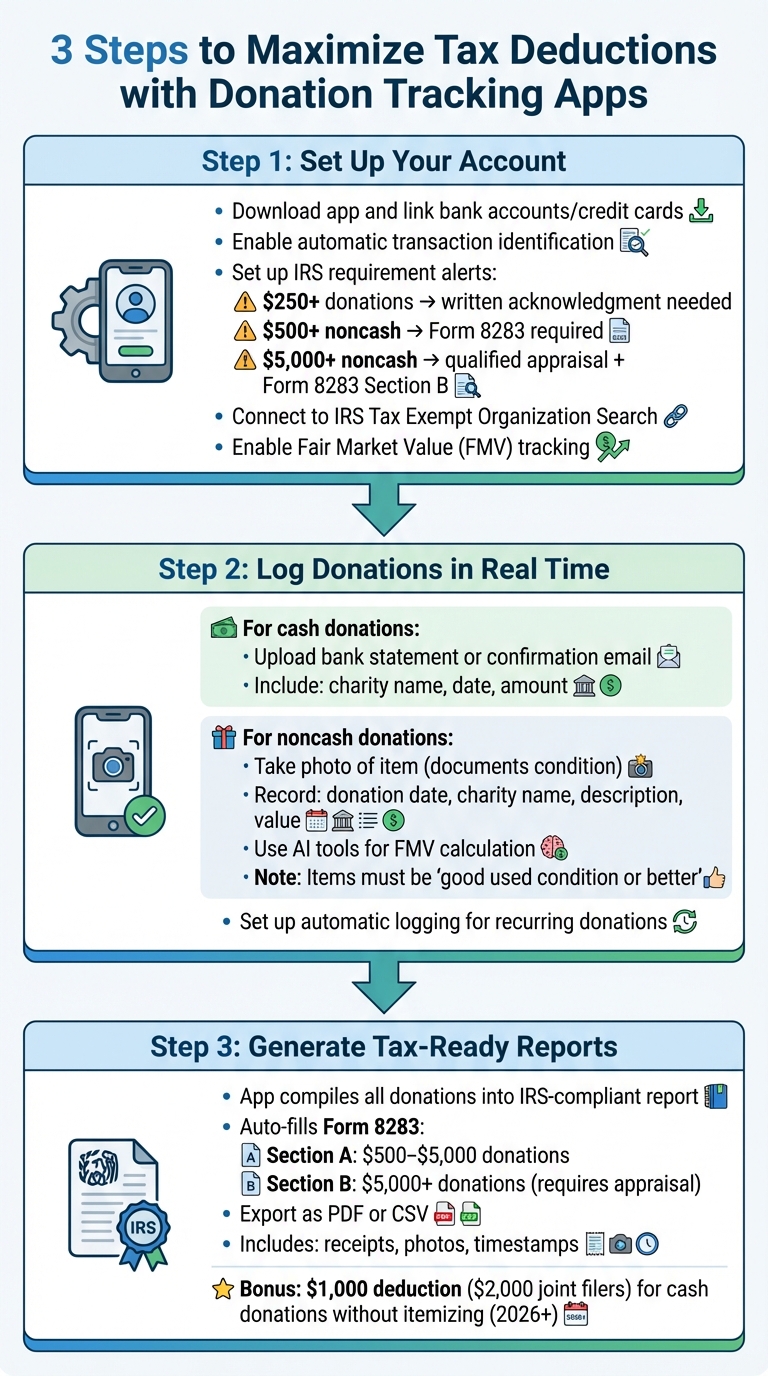
How to Use Donation Tracking Apps for Tax Deductions: 3-Step Process
Using a donation tracking app can make tax season much easier and help you maximize your deductions. The process boils down to three simple steps: setting up your account, logging donations as they happen, and generating IRS-compliant reports when it’s time to file.
Step 1: Set Up Your Account
Start by downloading the app and linking your bank accounts and credit cards. This allows the app to automatically identify charitable transactions, saving you from tracking down receipts at the end of the year. You can also set alerts for key IRS requirements:
- Donations of $250 or more need a written acknowledgment from the charity.
- Noncash donations over $500 require IRS Form 8283.
- Noncash items valued above $5,000 require a qualified appraisal and completion of Section B of Form 8283 [3].
Make sure the app connects with the IRS Tax Exempt Organization Search tool to confirm that your chosen charities qualify for deductions. If you're donating items, enable the Fair Market Value (FMV) tracking feature. The IRS defines FMV as "the price that property would sell for on the open market... agreed on between a willing buyer and seller, both having reasonable knowledge of the relevant facts" [8].
Once everything is set up, log each new donation to keep your records complete and up to date.
Step 2: Log Donations in Real Time
Recording donations as soon as they happen ensures you don’t miss any deductions. For cash contributions, upload a copy of your bank statement or confirmation email showing the charity’s name, the date, and the amount [3].
For noncash donations like clothing or furniture, take a photo to document the item’s condition. The IRS generally requires donated items to be in "good used condition or better." Record details such as the donation date, charity name, a description of the item, and its value. Many apps include AI tools to help calculate FMV using thrift store guides or resale data. Be sure to note the method you used for valuation to keep your records audit-ready.
If you make recurring donations, set up automatic logging to avoid missing any contributions.
Step 3: Generate Tax-Ready Reports
When tax season rolls around, the app will compile all your donations into a detailed, IRS-compliant report. For noncash donations over $500, it can automatically fill out Form 8283, breaking down donations into categories: Section A for items valued between $500 and $5,000, and Section B for those exceeding $5,000 (which require a qualified appraisal).
You can export the report as a PDF or CSV file to share with your tax preparer or import it into your tax software. These reports typically include receipts, photos, and timestamps, which can help reduce scrutiny during an audit.
And don’t forget, starting in the 2026 tax year, you may be able to deduct up to $1,000 (or $2,000 for joint filers) in cash donations to qualified organizations - even if you don’t itemize.
Apps like deductible.me make this entire process straightforward with an easy-to-use interface, keeping your charitable contributions organized and tax-compliant.
sbb-itb-e723420
Using Advanced Features to Increase Tax Savings
Once you've got the hang of basic donation tracking, advanced tools can take your tax savings to the next level. These features don’t just log contributions - they help you uncover hidden deductions and create airtight documentation that can withstand IRS scrutiny.
How Analytics Help You Find More Deductions
Advanced analytics can reveal deductions you might otherwise miss. For instance, apps can flag smaller contributions, like those round-up donations at checkout, cash tossed into collection boxes, or recurring monthly gifts. These small amounts may seem insignificant on their own, but they can add up to a substantial deduction over time[2][4]. Interestingly, more than one in four taxpayers claim charitable donations on their federal returns, yet many overlook these “micro-deductions” that could boost their savings[4].
Another helpful feature is automated valuation tools. These tools ensure you’re not undervaluing non-cash donations by providing fair market value ranges for over 1,300 items, including clothing, furniture, and electronics. These values are based on comparable market data, giving you a solid foundation for your claims[9][4]. Real-time progress tracking also lets you monitor your total donation value throughout the year, helping you stay on track to maximize your deductions.
Some apps even include goal-tracking features that analyze your giving habits. This allows you to strategically plan and budget future donations for the greatest tax benefit.
Keeping Audit-Ready Records
Once you’ve identified all possible deductions, maintaining thorough records is critical. Without proper documentation, your deductions could be at risk. Apps like deductible.me make it easy to store everything the IRS might request - receipts, photos of donated items, written acknowledgments for gifts over $250, and detailed Form 8283 breakdowns for non-cash donations exceeding $500[10]. Photos, in particular, can serve as proof of an item’s condition and existence.
Consistent valuation methods also play a big role during audits. Advanced apps rely on established thrift value guides and structured condition categories - like Good, Very Good, or Excellent/New with Tags - to assign fair market values that hold up under scrutiny[10][2]. Cloud storage ensures your records are safe, while quarterly reconciliations help you catch any missed contributions[1].
"Your deduction is only as strong as the records that support it. In an audit, sloppy records are a losing argument." [10]
Conclusion
Donation tracking apps take the stress out of tax season by keeping your charitable contributions organized year-round. Instead of scrambling to find receipts or remember every donation at the last minute, these tools let you log everything as you go. They handle valuations, keep track of IRS rules, and generate tax reports instantly - letting you focus on giving without the hassle of extra paperwork.
These apps also help you stay on top of key IRS requirements. They’ll remind you to get written acknowledgments for donations of $250 or more and alert you when you need to file Form 8283 for non-cash contributions over $500. Plus, with features like cloud-based storage for receipts and photos, you’ll have audit-ready documentation from day one. Many people miss out on deductions by forgetting small cash gifts or undervaluing donated items. By using these tools, you can avoid those mistakes and make the most of your charitable giving.
When choosing an app, look for one that combines all these features into a seamless experience. For example, deductible.me uses AI to value items and provides IRS-compliant reporting, helping you claim every dollar you’re entitled to while staying within the rules. Over time, these apps can save you money by uncovering missed deductions and making tax prep more efficient.
Whether you donate occasionally or manage significant contributions, the right app can make tax preparation quicker, easier, and more accurate. Your generosity deserves to be paired with organized, stress-free record-keeping.
FAQs
How do donation tracking apps calculate the value of items I donate?
Donation tracking apps help determine the fair market value of items you donate - essentially, what someone might reasonably pay for the item based on its current condition. These values are typically calculated using IRS guidelines and take into account factors like thrift store pricing, resale trends, and the item's overall condition.
Using these apps makes it easier to keep detailed records of your donations, giving you peace of mind that your tax deductions are accurate and meet IRS requirements.
What kinds of donations can these apps help track?
Keeping track of your charitable contributions can be a breeze with donation tracking apps. These tools help you maintain precise records of all kinds of donations, ensuring you meet IRS guidelines. Whether it’s cash donations - made through credit cards, debit cards, checks, or bank transfers - or noncash contributions like clothes, household goods, or other personal items, these apps have you covered.
Many apps go a step further by allowing you to log mileage for volunteer driving and in-kind donations. With everything in one place, staying organized becomes simpler, and you can make the most of your potential tax deductions.
How do donation tracking apps help me stay IRS-compliant?
Donation tracking apps are a handy way to stay on top of IRS requirements by keeping your records of charitable contributions accurate and well-organized. To claim tax deductions, the IRS expects you to provide thorough documentation - things like receipts, acknowledgment letters, and records showing the dates, amounts, and recipients of your donations. These apps take the hassle out of this process by automatically organizing and storing all that information in one convenient spot.
Some apps go a step further by helping you estimate the value of non-cash donations and keep track of recurring contributions. This ensures your records meet IRS standards without the extra legwork. With everything up-to-date and easy to access, these tools make tax reporting smoother, while also reducing the chances of errors or missed deductions.