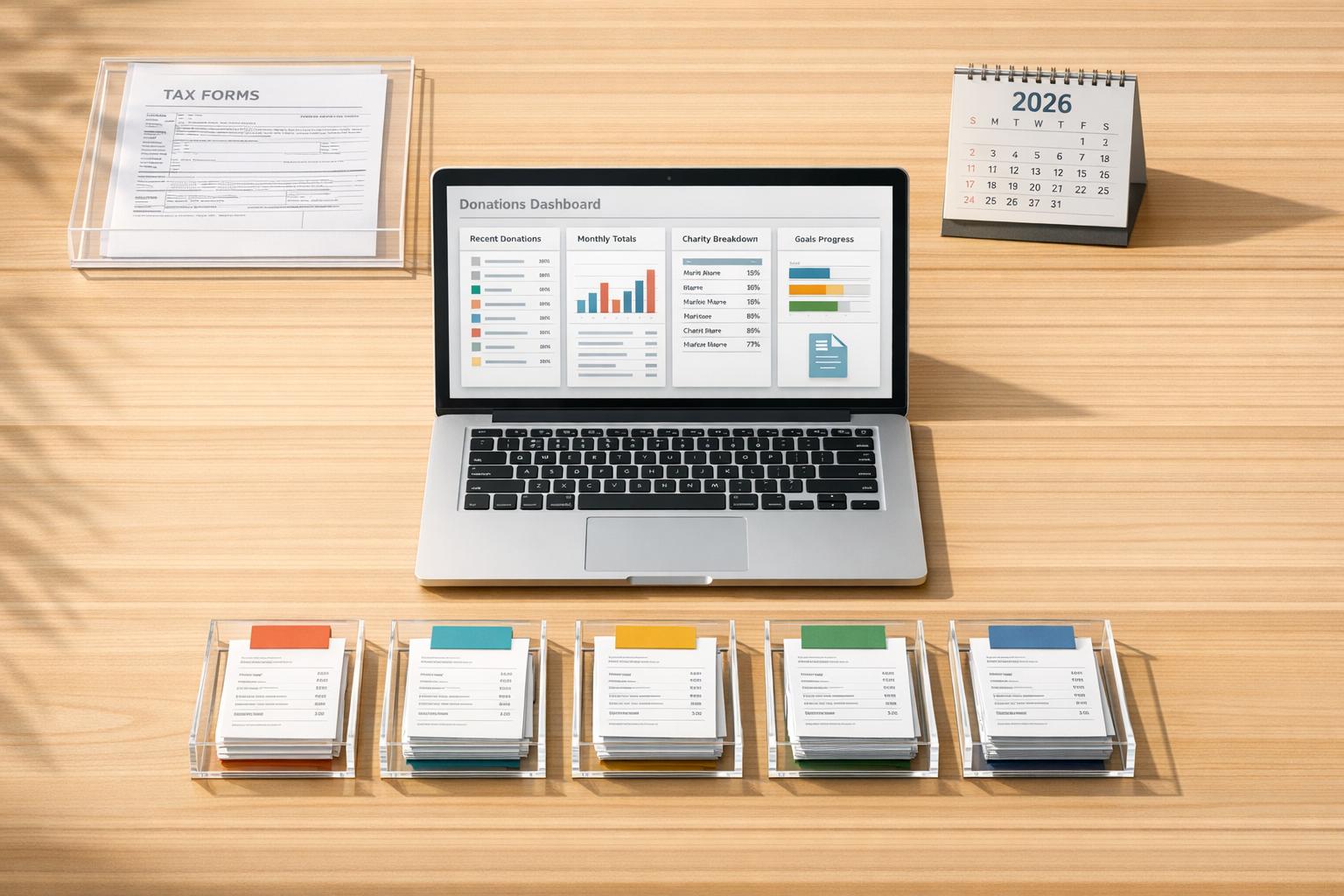
5 Tools for Tracking Charitable Donations
Keeping track of donations is essential for maximizing tax deductions and staying organized, especially with 2026 tax rule changes. Here’s what you need to know:
-
New Tax Rules (2026):
- Itemized deductions now have a 0.5% AGI floor, meaning only contributions above this threshold qualify.
- Non-itemizers can claim up to $1,000 (single) or $2,000 (joint) for cash donations.
-
Top Tools for Donation Tracking:
- Deductible.me: AI-powered app for logging donations, storing receipts, and generating IRS-compliant reports.
- Cost: Free for up to $500 in donations; $2/month for unlimited tracking.
- Donorbox: Centralized platform for monitoring contributions with automated receipts and year-end summaries.
- Cost: Free for donors; nonprofits pay 2.95% + processing fees.
- Bloomerang: Nonprofit-focused tool with donor management and compliance features.
- Cost: Starts at $125/month.
- Givebutter: Free platform for nonprofits offering receipt automation and detailed reporting.
- Cost: 0% platform fee (optional donor tips); otherwise, 3% + processing fees.
- Kindful: CRM for nonprofits with advanced donor tracking and automated tax summaries.
- Cost: Starts at $125/month.
- Deductible.me: AI-powered app for logging donations, storing receipts, and generating IRS-compliant reports.
-
Why It Matters:
- IRS requires written acknowledgment for donations over $250 and Form 8283 for non-cash gifts above $500.
- Proper tracking ensures compliance and helps you claim deductions efficiently.
Quick Comparison:
| Feature | Deductible.me | Donorbox | Bloomerang | Givebutter | Kindful |
|---|---|---|---|---|---|
| Donation Tracking | Up to $500 (Free) or Unlimited (Premium) | Unlimited | Limited by database capacity | Unlimited contacts | Unlimited uploads |
| Receipt Management | AI-powered, photo uploads | Automated, PDF receipts | Automated, year-end summaries | Branded, auto receipts | Immediate, auto summaries |
| IRS Compliance | Form 8283 ready | Tax-compliant receipts | In-kind gift tracking | Standard compliance tools | Tracks non-deductible amounts |
| Cost | Free or $2/month | Free for donors; nonprofits pay 2.95% + fees | Starts at $125/month | Free (tips optional) | Starts at $125/month |
Choose the tool that fits your needs, whether you’re an individual donor or managing a nonprofit. Staying organized has never been easier - or more important.
How to Track Donations in Google Sheets
1. Deductible.me
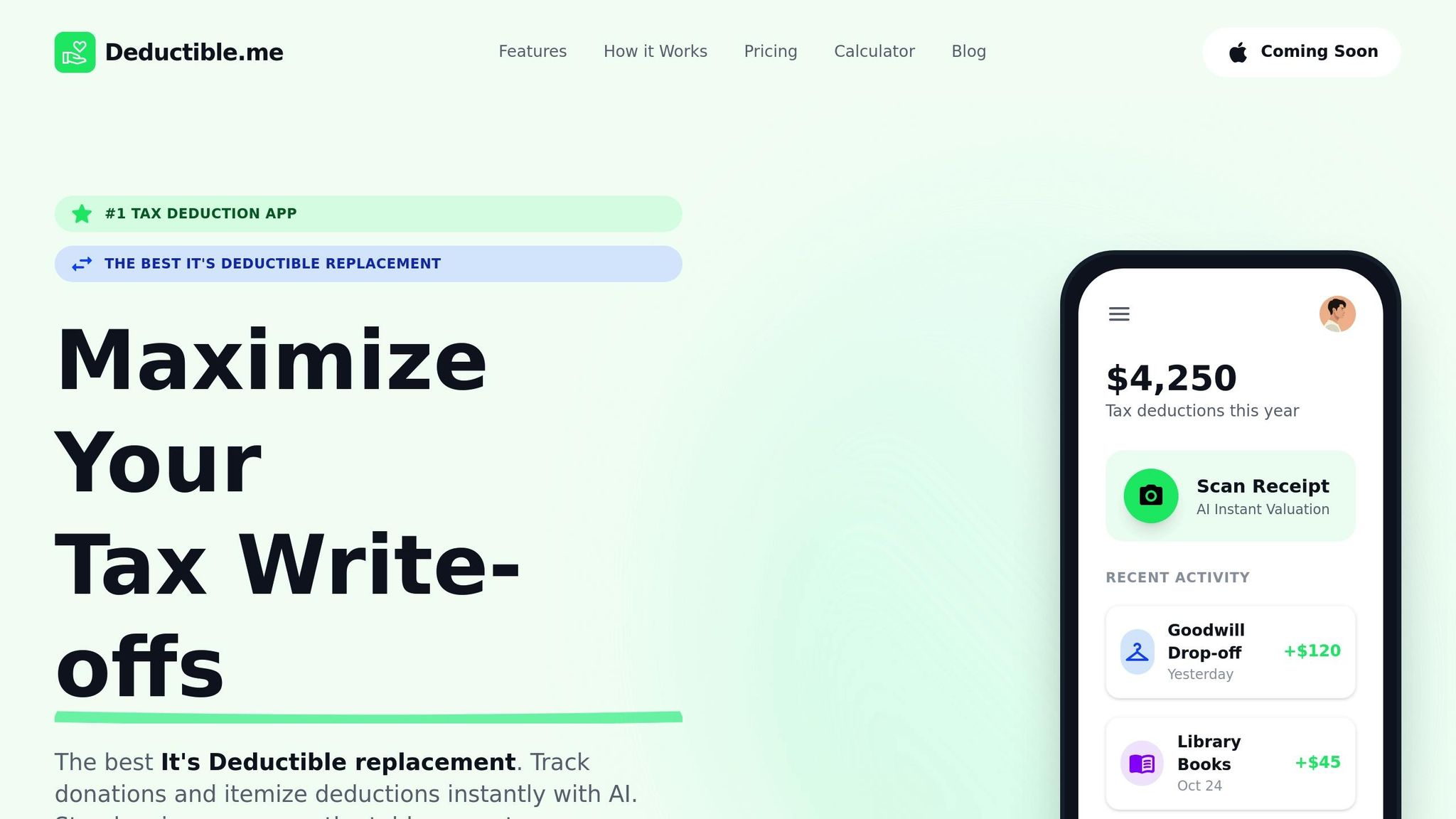
Deductible.me simplifies tracking charitable donations with an AI-powered assistant that lets you log contributions through a chat-based interface. No need to deal with tedious forms - just chat with the app to record cash donations, donated items, or even volunteer mileage. The AI takes care of the details, automatically noting item names, conditions, and fair market values.
This platform acts as a one-stop hub for managing all your charitable giving. You can even snap pictures of items before donating them, keeping everything neatly linked to your records. Here’s a closer look at how it helps you stay organized.
Receipt Management
Receipts are stored digitally and attached directly to your donation entries. Whether it’s a photo of a paper receipt or a PDF acknowledgment letter, you can upload them during your chat with the app. This eliminates the risk of losing documents in drawers or email folders. Having this visual proof can be a lifesaver if the IRS ever questions the value or condition of your donations during an audit.
Reporting Compliance
Deductible.me creates itemized reports that meet all IRS requirements, including details like donation dates, charity names, item descriptions, and fair market values. These reports make it easy to complete Form 8283 when non-cash donations exceed $500 in a year. The app also assigns IRS-compliant values based on the condition of donated items, ensuring your records are accurate and audit-ready.
Pricing Plans
The service includes a free tier that lets you track up to $500 in donation value. For more frequent givers, the Premium plan costs $2.00 per month or $24.00 per year. Premium features include unlimited donation tracking, advanced analytics, annual giving goal tracking, and priority customer support.
With these tools, Deductible.me ensures your donation records are thorough and easy to manage - even carrying over data from previous years for continuity.
2. Donorbox
Donorbox is a fundraising platform designed primarily for nonprofits, but it doubles as a donation tracking tool for individual donors. It features a Donor Portal where users can monitor all their contributions, recurring donations, and access tax receipts [6]. With over $3 billion processed across 100,000 organizations in 96 countries, Donorbox offers a centralized solution for managing donations, especially for those who give to multiple charities using the platform [5]. Let’s break down how Donorbox simplifies receipt management and ensures compliance with reporting regulations.
Receipt Management
Each donation made through Donorbox automatically generates a PDF receipt sent via email [13,16]. At the end of the year, donors receive a consolidated statement summarizing all contributions, while the Donor Portal keeps a record of all past receipts [14,17,19]. This eliminates the hassle of requesting duplicate receipts, as everything is conveniently stored in one place [9].
Reporting Compliance
Donorbox ensures that receipts meet IRS standards, including sequential receipt IDs and the necessary legal language [8]. For donations of $250 or more, the platform provides the written acknowledgment required by tax laws [7]. Additionally, when purchasing event tickets, Donorbox clearly separates the tax-deductible portion from the fair market value of the ticket, adhering to quid pro quo contribution rules [7].
Pricing Plans
The platform charges nonprofits a 2.95% fee on donations, plus payment processor fees, but individual donors can use the portal for free [9]. Organizations can sign up at no cost and begin collecting donations in just 15 minutes [13,19]. For nonprofits seeking extra support, a Premium tier offers dedicated coaching and assistance. For donors, this centralized system is particularly helpful when managing contributions across multiple charities using Donorbox.
3. Bloomerang
Bloomerang is a donor management platform tailored specifically for nonprofits. It’s designed to efficiently track donor data and handle large datasets through batch processing, making it a reliable choice for organizations managing extensive donor networks [10][11]. Features like Fund Management and Designation tracking help nonprofits oversee contributions across multiple charities or monitor how funds are allocated within their programs.
Receipt Management
Bloomerang streamlines receipt management by automating personalized acknowledgment emails and offering multiple delivery options, including email, physical letters, and even video messages. Each receipt is logged as an "Interaction", creating a permanent record for easy reference [12]. Donations are acknowledged immediately through automated sequences, ensuring timely and professional communication.
Reporting Compliance
The platform also supports compliance needs by providing Giving Statements that adhere to IRS requirements. These statements consolidate all donation types and allow organizations to include their Employer Identification Number (EIN) and logo, making them official and compliant. An update on August 29, 2025, introduced enhanced reporting tools that go beyond tax summaries, offering a broader view of donor impact [14].
Kelly Hartley, Director of Development & Marketing at Jasper County CASA, highlights the platform's customizable reporting options, emphasizing their user-friendly and flexible design [13].
Pricing Plans
Bloomerang does not publicly disclose its pricing tiers. Nonprofits interested in using the platform typically need to contact Bloomerang for detailed pricing information, often provided through demos or product tours [13][14]. Since the platform is targeted at nonprofits, access is usually arranged through the organizations themselves rather than as a personal tool [13][14]. This approach reflects Bloomerang's focus on supporting nonprofit operations and donor management.
sbb-itb-e723420
4. Givebutter
When it comes to donation tracking tools, Givebutter offers nonprofits a streamlined way to manage their fundraising efforts. Trusted by over 50,000 organizations as of 2026 [18], this platform provides a centralized dashboard that consolidates online donations, mobile payments, ticket sales, auction bids, and recurring gifts [15]. For nonprofits juggling multiple programs, the "Fund Designations" feature allows donors to direct their contributions to specific initiatives, making it easier to track funds across campaigns [17]. Let’s break down how Givebutter supports donation tracking, receipt management, compliance, and pricing.
Donation Tracking Features
Givebutter’s built-in CRM supports unlimited contacts and tracks donations across channels seamlessly [18]. It also allows nonprofits to manually add or bulk-import offline donations, such as cash and checks, ensuring all contributions are accounted for - perfect for tax season [15]. Another handy tool is the "Soft Credits" feature, which divides credit for a single transaction among multiple contributors, whether individuals or companies [17].
Emily Feder, Senior Development Associate at The Legal Aid Society, shared her experience in 2026: “The transactions page makes it simple to search for donors and export donation details effortlessly” [15].
Receipt Management
Receipts are a breeze with Givebutter. The platform automatically emails branded receipts for every transaction, whether it’s a donation, ticket purchase, or auction item [19]. These receipts can be customized with logos and personalized thank-you messages at both the account and campaign levels [19]. For offline donations, admins can manually issue or resend receipts directly from the dashboard [15].
Emily Bowker, Director of Development at Safe Passage, praised this feature in 2026: “I also love that it generates a tax-exempt receipt for the donor right away. One less thing we have to do as an agency” [16].
Reporting and Compliance
Givebutter simplifies compliance for verified 501(c)(3) organizations by including the EIN on receipts and automatically calculating tax-deductible amounts when goods or services are involved [19]. It also integrates directly with QuickBooks Online, syncing donations, refunds, and fees to save time during audits [20]. All transaction data is securely stored in the CRM, making it easy to export detailed reports for board members or auditors [15].
Pricing Structure
Givebutter’s pricing model is designed to be nonprofit-friendly, operating on a 0% platform fee supported by optional donor tips [15]. If donors choose to tip through the "Givebutter Guarantee", nonprofits avoid both platform and processing fees [21]. Without tips, organizations pay a 3% platform fee, along with standard processing fees [21]. For those needing advanced features, Givebutter Plus offers automation and analytics, with pricing based on contact volume [15].
The platform’s reputation speaks for itself: it boasts a 4.9/5 rating on Capterra and was named the #1 Best Nonprofit Software of 2026 by G2 [15].
5. Kindful
Kindful, now part of the Bloomerang platform after its acquisition in September 2021, serves as a nonprofit CRM designed to centralize donor data and transactions [26]. This tool is especially helpful for organizations juggling donations from multiple sources, as it consolidates scattered data into one place. Kyle Matthews, Executive Director at Beat Nb, shared: "Kindful lets us spend a lot less time gathering data and more time building the actual relationships with the donor" [25].
While Kindful shares many features with other nonprofit CRMs, it shines with its advanced donor grouping and tracking capabilities.
Donation Tracking Features
Kindful offers unlimited report templates and unlimited uploads for each contact record, ensuring nonprofits can store all the documentation they need without worrying about storage limits [22][24]. Its "Householding" feature simplifies donor management by grouping related donors or entities, making it easier to filter and maintain accurate records compared to manual methods [22][24]. Another standout feature is "Soft Credit Management", which tracks donations made indirectly through third parties like foundations, ensuring all contributions are properly credited [22]. The platform also supports various gift types, including in-kind donations, non-deductible amounts, and specific assets [22][24].
Receipt and Tax Management
Kindful automates much of the receipt process. Email receipts are sent immediately after transactions, and year-end tax summaries are automatically generated and sent to donors, providing a clear record of their contributions [27]. Donors also benefit from a self-service portal where they can manage billing, update preferences, and download their donation history [27][28].
Reporting and Compliance Tools
To meet IRS requirements, Kindful tracks in-kind gifts by value, non-deductible amounts, and asset type [22]. It also generates year-end tax summaries with a single click and flags incomplete donor records, ensuring compliance and thorough record-keeping [28]. The platform includes pre-built standard reports and customizable templates, which can be scheduled for automatic delivery on a daily, weekly, monthly, or quarterly basis [22].
The Massachusetts Immigrant & Refugee Advocacy Coalition highlighted: "A great tool for nonprofits looking to have clear, usable donor data! Easy to use for all involved, including volunteers and board members" [22].
Pricing Details
Kindful's pricing is tailored to small and mid-sized nonprofits, starting at $125 per month. Costs scale based on database size and the number of records managed [29][30]. The platform also integrates with third-party apps for email marketing, accounting, and online fundraising [23]. Donations processed through its payment system are paid out on a 2-day rolling basis [26].
Feature Comparison
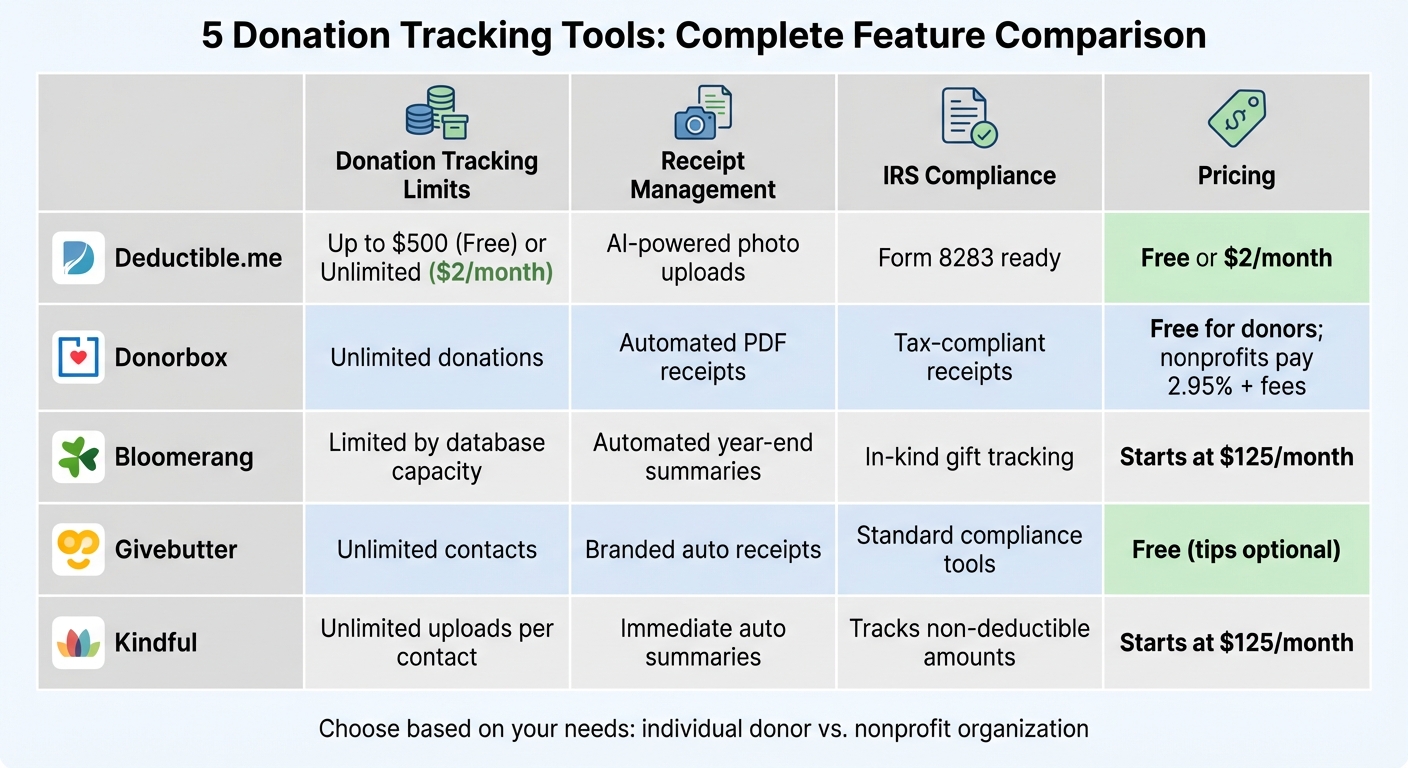
Comparison of 5 Charitable Donation Tracking Tools: Features and Pricing
Choosing the right donation tracker depends on your needs, budget, and the volume of donations you manage. The table below highlights the key features of several platforms, making it easier to compare their strengths.
| Feature | Deductible.me | Donorbox | Bloomerang | Givebutter | Kindful |
|---|---|---|---|---|---|
| Donation Tracking Limits | Up to $500 (Free) or Unlimited (Premium at $2/month) | Unlimited donations | Limited by nonprofit database capacity | Unlimited contact imports | Unlimited uploads per contact |
| Receipt Management | AI-powered photo scanning & valuation with IRS-compliant reports | Automated email receipts | Automated receipts and year-end summaries | Automated tracking with a mobile-first design | Immediate email receipts and automated year-end summaries |
| IRS Compliance Tools | Form 8283 ready (Premium) | Tax-compliant receipts | Tracks in-kind gifts and flags incomplete records | Standard IRS compliance tools | Tracks in-kind gifts by value and non-deductible amounts |
| Analytics & Reporting | Advanced analytics with goal tracking (Premium) | Basic donor insights | Interactive dashboard with engagement scores | Limited customization | Unlimited report templates with scheduled delivery |
| Pricing | Free or $2/month | 1.75%-3% platform fee + payment processing | Starts at $125/month | Free platform | Starts at $125/month |
This comparison showcases which tools are best for simplifying tax documentation while maximizing savings on charitable contributions.
Key Insights
The platforms vary significantly in their target audiences and pricing. Deductible.me is designed for individual taxpayers, offering an affordable $2/month premium plan with AI-driven photo scanning to log items and assign fair market values. On the other hand, Bloomerang and Kindful cater to nonprofits, starting at $125/month, with features like automated donor receipts and year-end summaries. Givebutter, a free platform, is ideal for users seeking basic functionality but with fewer customization options.
IRS compliance is a critical factor for ensuring your donations qualify for tax deductions. For instance, donations over $250 require a written acknowledgment from the charity. Non-cash gifts exceeding $500 need Form 8283, Section A, while contributions over $5,000 require a qualified appraisal and Form 8283, Section B. Starting in 2026, itemizers will face a 0.5% AGI floor, while non-itemizers can claim up to $1,000 (single) or $2,000 (joint) for cash donations [4][1][3][2].
For nonprofits, Bloomerang stands out in analytics, offering an interactive dashboard that tracks donor retention and engagement scores. This feature helps organizations identify potential major gift prospects and improve fundraising strategies [31].
Conclusion
For individual donors focused on tracking household items and clothing donations, Deductible.me offers a straightforward and budget-friendly solution at just $2 per month. With unlimited tracking, AI-powered photo scanning, and IRS-compliant Form 8283 reports, it simplifies the entire process.
As tax rules tighten in 2026, keeping accurate records becomes even more important. The new rules include a 0.5% AGI floor for itemizers and an expanded above-the-line deduction of up to $1,000 (or $2,000 for joint filers) for non-itemizers [3][2]. These changes make precise donation tracking a must. Deductible.me ensures compliance by generating detailed IRS-ready reports and tracking written acknowledgments for donations over $250, helping you stay prepared and maximize your deductions.
If juggling receipts from multiple organizations sounds overwhelming, a tool like Deductible.me, with automated receipt management and tax software-compatible export formats, can make the process effortless. This feature alone highlights its practicality.
FAQs
How do the 2026 donation tax rules change what I should track?
The 2026 donation tax rules bring a notable change: a new 0.5% Adjusted Gross Income (AGI) floor for itemized deductions. This means only donations that exceed 0.5% of your AGI will qualify for deductions. To make sure your contributions count, you'll need to carefully track and document those that surpass this threshold. Smaller donations might not meet the requirement, so keeping thorough records of every donation is now more important than ever under these updated rules.
What proof do I need for donations over $250 or non-cash gifts over $500?
For donations exceeding $250, you'll need a written acknowledgment from the charity. This should include the organization's name, the date of the donation, and a description of what you contributed. If your donation is a non-cash gift valued at over $500, you'll need extra documentation, such as receipts and other supporting records. Additionally, for non-cash contributions, you may be required to complete IRS Form 8283.
How can I track non-cash donations and fair market value accurately?
To keep track of non-cash donations and their fair market value, it’s best to use tools built for IRS-compliant valuation and reporting. These tools can help you document a variety of donations, including items, stocks, cryptocurrency, and even mileage. Be sure to keep detailed receipts that include the donation description, date, and information about the organization. If your donations go over specific thresholds, you might also need to file additional IRS forms, like Form 8283.