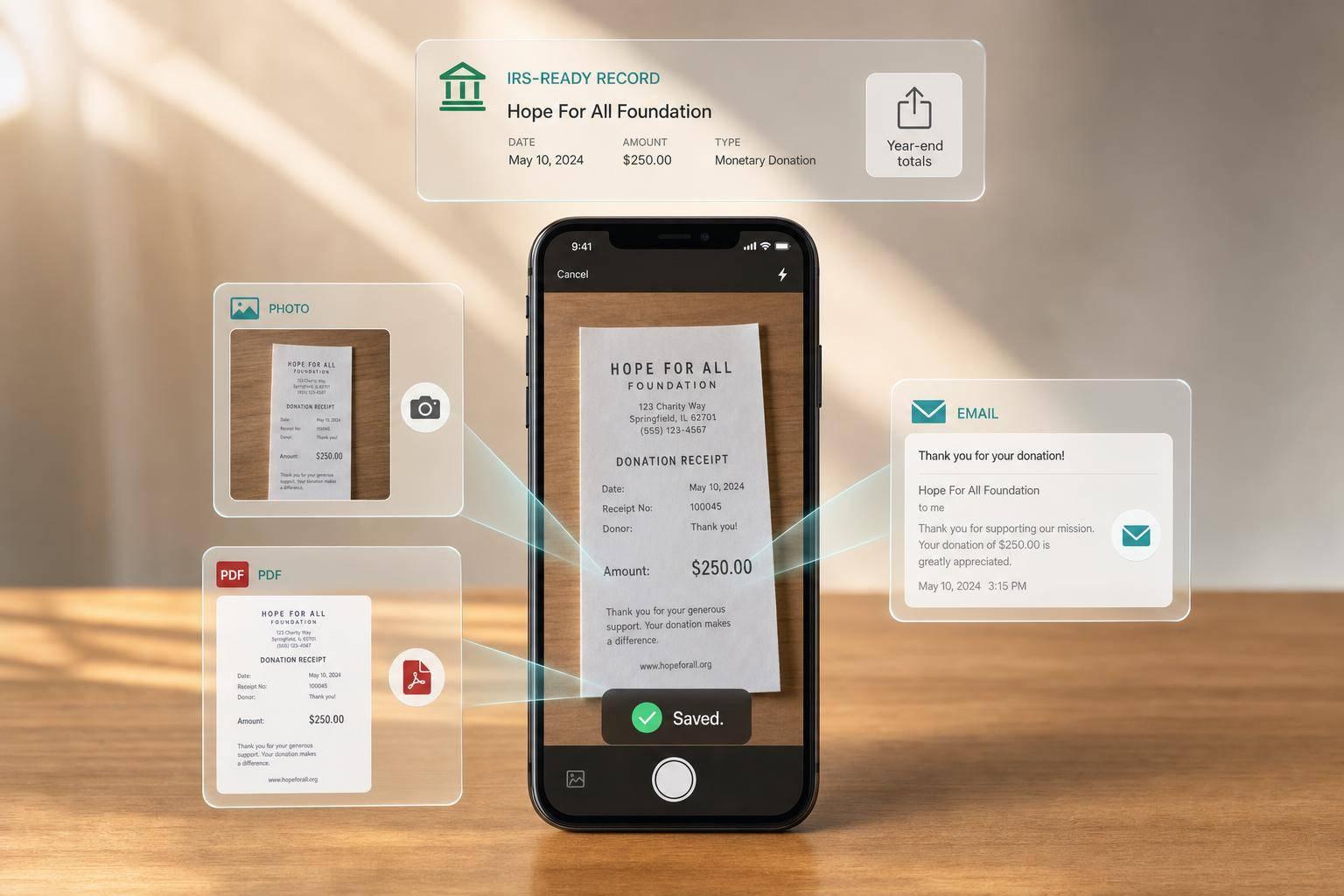
How Mobile Apps Track Donation Receipts in Real Time
If you don’t save your donation receipt right away, you may lose the tax record you need later.
I’d sum it up like this: a mobile app turns a receipt photo, PDF, or email into a saved donation record in minutes. It stores the charity name, date, amount, donor details, item notes for non-cash gifts, and the file itself. That matters because the IRS asks for written proof, and gifts of $250 or more need a charity acknowledgment on file.
Here’s the short version:
- You upload a receipt by photo, PDF, or email.
- The app reads the main details like charity name, date, and amount.
- You check the record before saving it.
- The app stores the receipt file with tags, timestamps, and tax-year data.
- At tax time, you can filter and export records instead of digging through paper or email.
- For non-cash gifts, you can log item condition, quantity, and fair market value.
- If non-cash donations go over $500, you may need Form 8283.
- If similar items or one item go over $5,000, you may need a qualified appraisal and Section B of Form 8283.
What stood out to me is how simple the workflow is: save the receipt when the donation happens, and the year-end record is mostly done. That cuts down missed paperwork, missing values, and last-minute tax prep. For donors, families, and small business owners in the U.S., that’s the main point.
Step by Step: From Receipt Photo to Saved Record
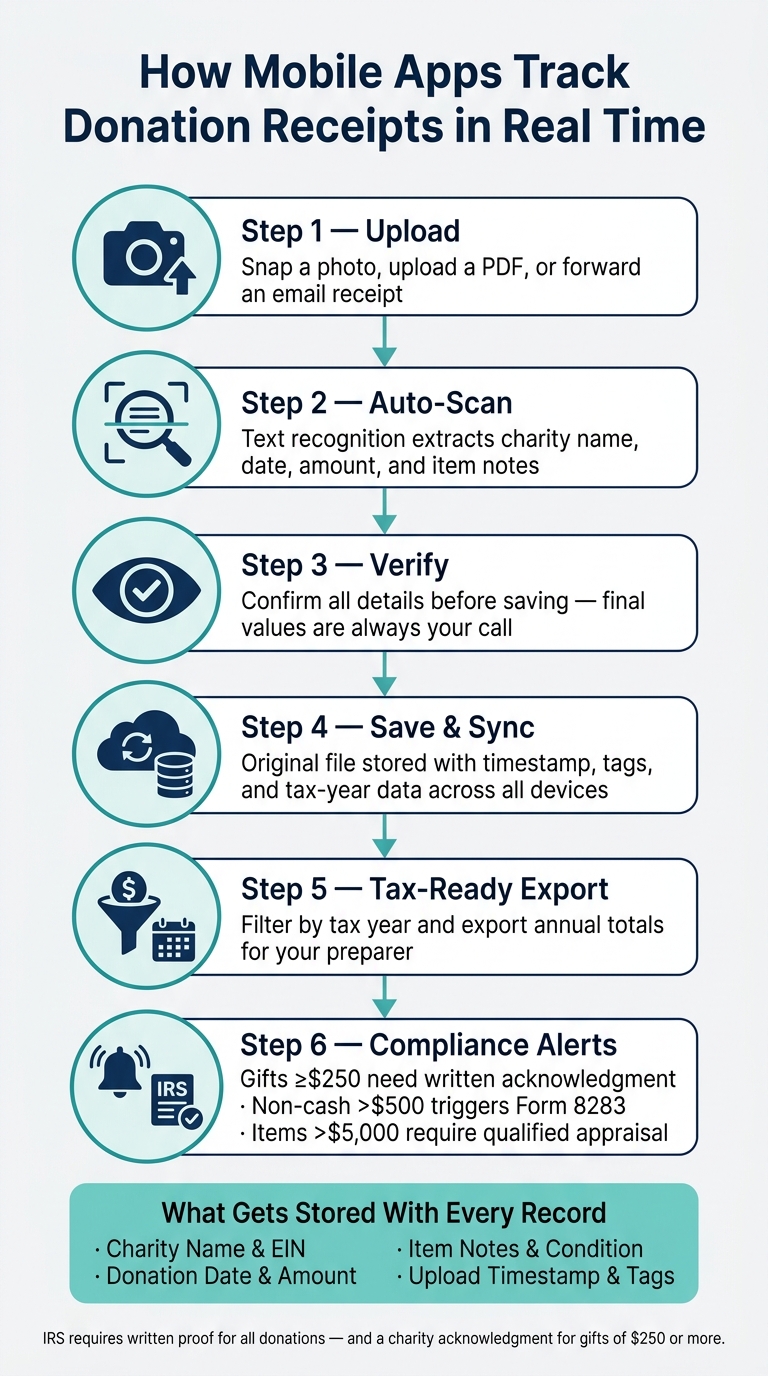
How Mobile Apps Track Donation Receipts: Step-by-Step Workflow
Once the app knows what to capture, the process is simple: upload, check, save.
Capture the Receipt: Photo, PDF, or Email Upload
Upload a photo, PDF, or email receipt. The app keeps the original file attached to the record as source documentation.[2][1]
Read and Verify Charity Name, Date, Amount, and Notes
The app uses text recognition to pull out the donor name, charity name, date, amount, and item notes. Before anything is saved, you review those details yourself.[2][3]
For non-cash donations, you also need to confirm item descriptions, quantities, condition, and any suggested fair market value. The final value is still your call.[5]
Once everything looks right, the record is ready to save.
Save the Record and Sync It Across Devices
After you confirm the details, the app saves the original receipt image or PDF along with the donor name, charity name, date, amount, item notes, and a capture timestamp.[2][1] It then syncs across devices, so tax-year totals update in real time.
What Information Mobile Apps Store With Each Donation
Core Receipt Fields: Charity, Donor, Date, and Amount
Once you upload a receipt, the app turns it into searchable tax fields. Each donation record stores the charity, donor, date, amount, and valuation details tied to the gift. That way, you can search, filter, and export the data later without digging through a pile of paper when tax season shows up [7][5].
Extra Metadata: Timestamps, Item Descriptions, and Tags
Apps also store extra details that help round out the record. One of the big ones is the upload timestamp. It shows when the entry was created, which links the record to the exact moment you saved it and supports real-time tracking [5][3].
For non-cash donations, you can add item descriptions, quantity, and condition notes. You can also use custom tags to sort donations by tax year, project, or household member. And there’s acknowledgment status, which helps you track whether the charity’s written acknowledgment is on file for gifts of $250 or more [6][1].
Those added details make year-end filters and export totals much easier to work with.
Receipt Field Map
The field map below shows how each stored detail helps with year-end tax records.
| Field | Purpose | Year-End Tax Use |
|---|---|---|
| Charity Name, Address & EIN | Identifies the recipient and confirms 501(c)(3) status | Supports IRS substantiation and year-end reporting |
| Donation Date | Sets the tax year for the deduction | Shows which tax year the deduction belongs to |
| Amount / FMV | Records the value of the donation | Affects the deduction amount |
| Donor Name | Connects the record to the taxpayer | Connects the record to the filer |
| Item Notes, Quantity & Condition | Describes non-cash goods and their condition | Supports Form 8283 reporting |
| Valuation Method | Shows how fair market value was figured | Supports Form 8283 documentation |
| Custom Tags | Groups donations by event, project, or household member | Makes year-end filtering and reporting easier |
| Acknowledgment Status | Tracks whether the charity's written acknowledgment is on file | Confirms the required letter is on file for gifts of $250 or more |
| Upload Timestamp | Creates a digital audit trail | Shows when the record was created |
sbb-itb-e723420
How Real-Time Tracking Helps at Tax Time
Filter by Tax Year and Export Annual Totals
Tax time is where real-time tracking starts to shine. When each receipt is saved with the key details, reporting at filing time becomes much simpler: filter by tax year, export the totals, and move on. You don't have to piece together a full year of donations from paper receipts, inbox searches, or old spreadsheets. The records are already there, clean and sorted.[2]
Mobile apps can filter donations by tax year and export a clear annual summary for your files or your tax preparer.[1][2][6] That running total also gives you a practical way to compare your deductions against the standard deduction and see if itemizing makes sense.[4]
Keep the Right Details for Cash and Non-Cash Donations
When you file, the record you saved earlier becomes your backup. For cash donations, that means keeping the charity name, EIN, date, amount, and a written acknowledgment for gifts over $250.[4][5] For non-cash donations, you need the item description, condition, fair market value, and the method used to figure out that value.[4][5]
There's one more part many people miss: the item should generally be in good condition or better.[4] And once non-cash donations go over $500, the IRS requires Form 8283, Section A.[7][4] If a single item, or a group of similar items, is valued at more than $5,000, you also need a qualified appraisal and Section B.[7][4]
Where Deductible.me Fits In
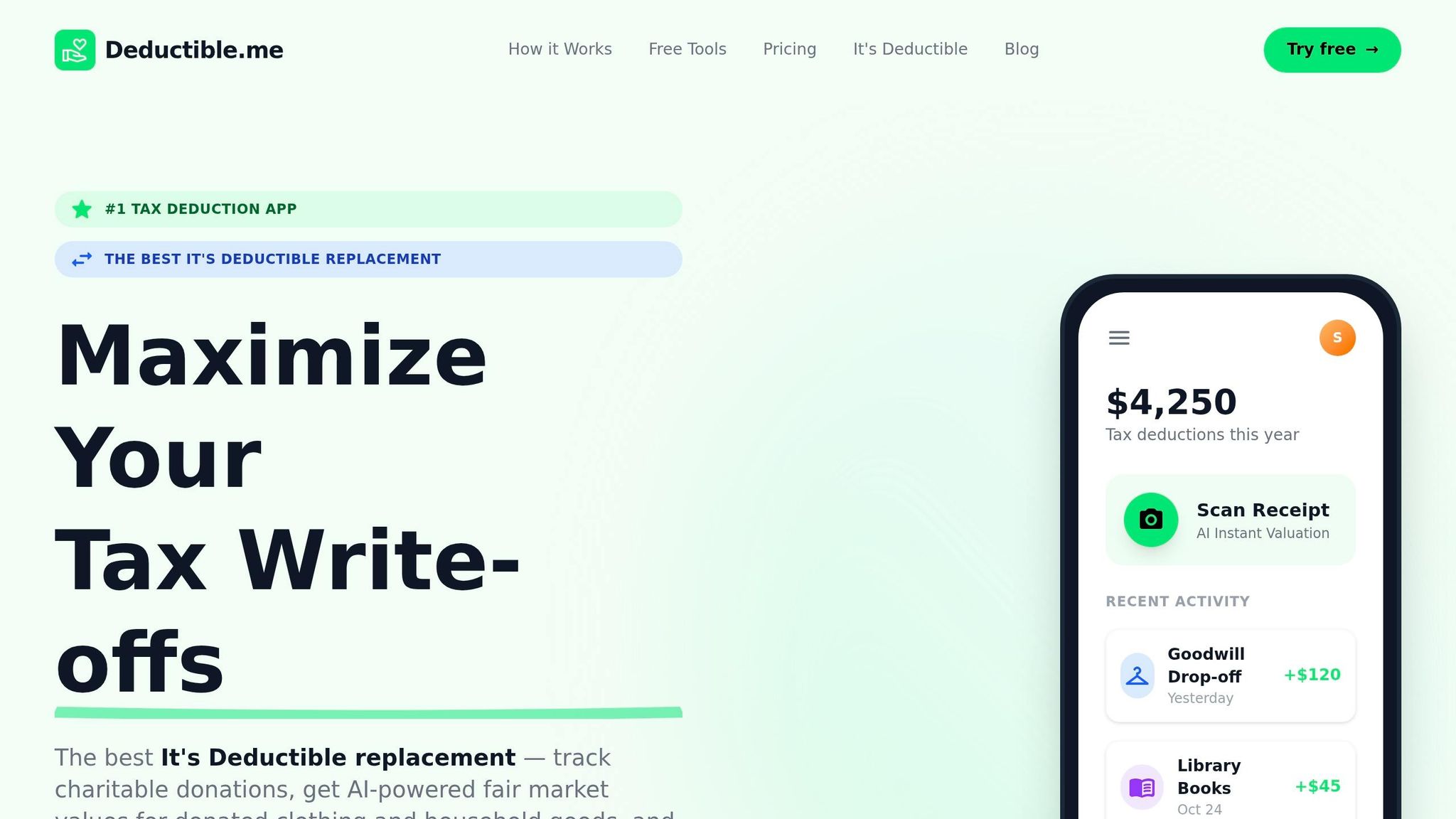
This is where an app can take a lot of the busywork off your plate. Deductible.me supports this process with AI photo scanning that can identify donated items, estimate fair market value, and help you produce Form 8283-ready records when non-cash donations exceed $500.[2][7]
The Premium plan also includes unlimited tracking, annual giving goals, and advanced analytics so you can keep an eye on your donation activity throughout the year.[2]
Conclusion: The Simple Workflow That Keeps Donation Records Ready
After capture, the record is already set for tax-year review. Upload the receipt as soon as you get it, let the app pull the key fields, and the record is saved. No paper to keep, no receipt to misplace, and no scramble at year-end. That matters because the app already stores the fields you need for tax filing - sorted by tax year and ready to export when it’s time to file.
Deductible.me fits this workflow with AI valuation, IRS-ready records, and export tools.[2][3]
Record donations as they happen.
FAQs
How accurate is receipt scanning?
Receipt scanning in Deductible.me is highly accurate. Its built-in vision model reads your photo and spots items like clothing, furniture, and kitchenware automatically.
Then it checks live resale data against IRS valuation guidelines to produce a defensible fair market value in seconds. That helps keep your item descriptions and values reliable, consistent, and formatted the right way for IRS Form 8283.
What if a donation receipt is missing details?
Missing details can put your deduction at risk. The IRS expects specific records for charitable gifts, and an incomplete receipt can lead to a denied deduction or trouble if you're audited.
For donations of $250 or more, you need a contemporaneous written acknowledgment that includes:
- The charity’s legal name
- The date
- A description of the donated item
- Whether any goods or services were provided
Deductible.me helps you store photos and create IRS-compliant reports.
Can I use the app for both cash and non-cash donations?
Yes. Deductible.me helps you track both cash and non-cash donations.
You can log cash gifts and keep up with in-kind donations like clothing, furniture, and household goods. For non-cash items, it gives you AI-powered fair market value estimates and helps you keep the records and IRS-compliant reports you’ll need at tax time.