Digital Receipt Security: Best Practices for Donors
Protecting your digital donation receipts is critical. These records contain sensitive information like your name, address, and financial details, making them a target for cybercriminals. Beyond security, keeping digital receipts organized ensures you can claim tax deductions without issues - especially for donations over $250, which require formal acknowledgment. Here's what you need to know:
- Common Risks: Phishing scams, weak passwords, and data breaches can expose your donation history and financial details. Lost or mishandled receipts can also lead to missed tax savings.
- Storage Tips: Use platforms with end-to-end encryption, automatic cloud backups, and IRS-compliant formats like PDFs.
- Access Security: Enable two-factor authentication (2FA) and use strong, unique passwords for all accounts.
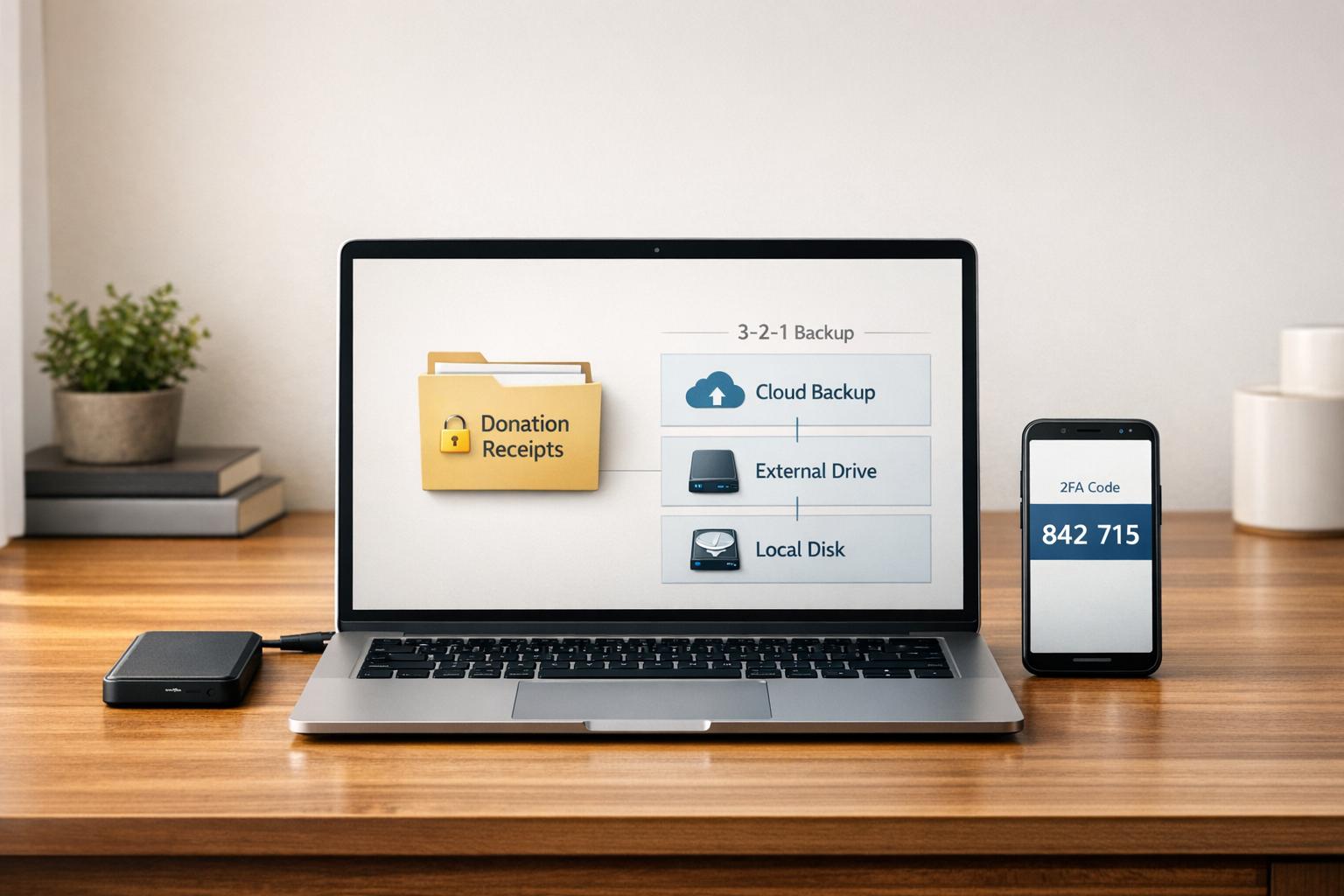
- Backup Strategy: Follow the 3-2-1 rule - keep three copies of your receipts, stored on two types of media, with one copy off-site.
- Avoid Mistakes: Don’t rely on unencrypted storage or mix personal and charitable records.
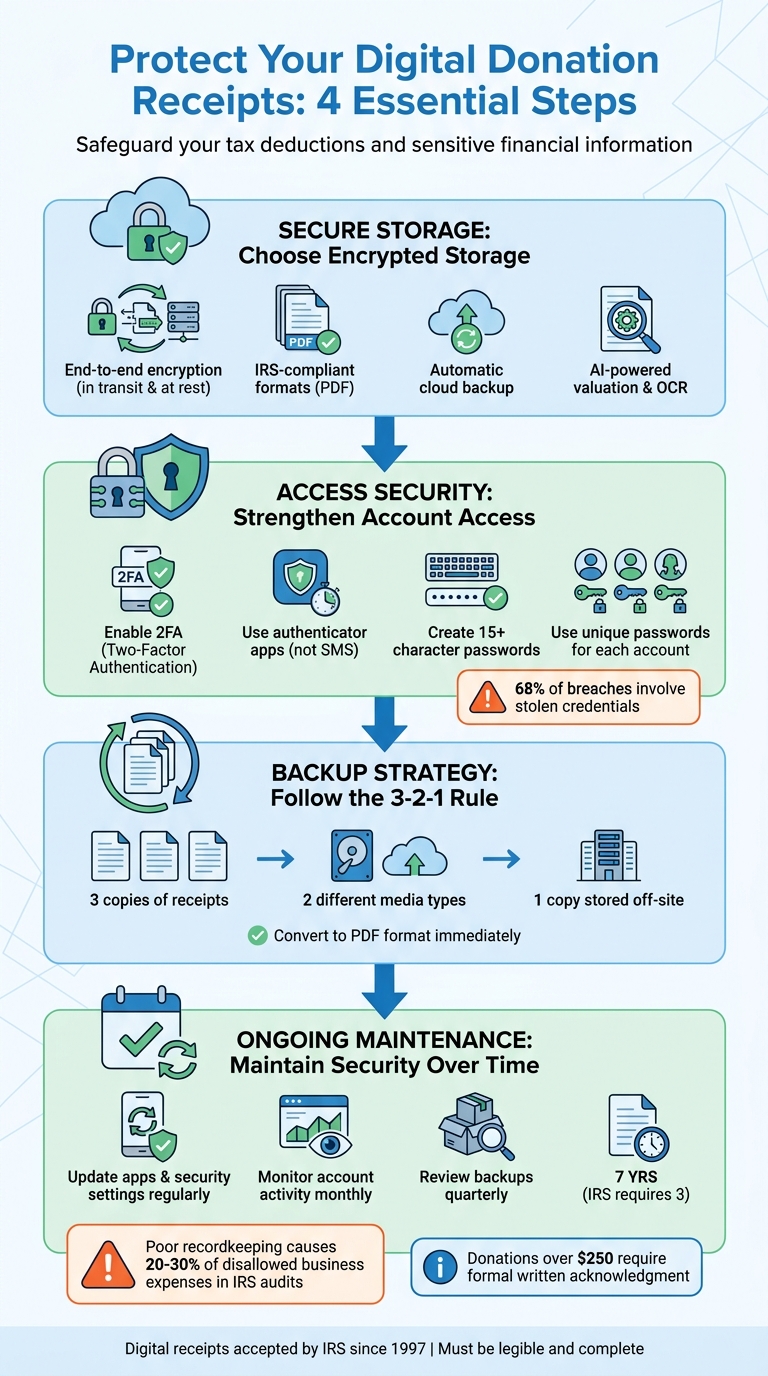
4-Step Guide to Securing Digital Donation Receipts
How to Choose Secure Storage Solutions
Selecting a secure storage solution is essential for safeguarding donation receipts and ensuring compliance with IRS documentation requirements. Below are the key features you should prioritize when evaluating a platform.
What to Look for in a Secure Platform
- End-to-End Encryption: The platform should encrypt data both in transit and at rest to prevent unauthorized access, even in the event of a breach [5].
- IRS Compliance and Data Integrity: Look for solutions that store receipts in formats that can't be altered, like PDFs or in secured cloud environments [4].
- Automatic Cloud Backup: Opt for a service that automatically backs up your receipts to the cloud. This protects your records from loss due to device failures, theft, or natural disasters [6].
- AI-Powered Valuation and OCR: For non-cash donations, platforms with Optical Character Recognition (OCR) can extract important details from receipt images. Additionally, AI tools can assign IRS-compliant Fair Market Values, simplifying the process and ensuring accuracy [2].
- Audit-Ready Reporting: A reliable platform should allow you to create detailed reports in formats like PDF or CSV. Features like attaching photos and adding notes can provide extra documentation, which is invaluable during audits.
How Deductible.me Protects Your Receipts
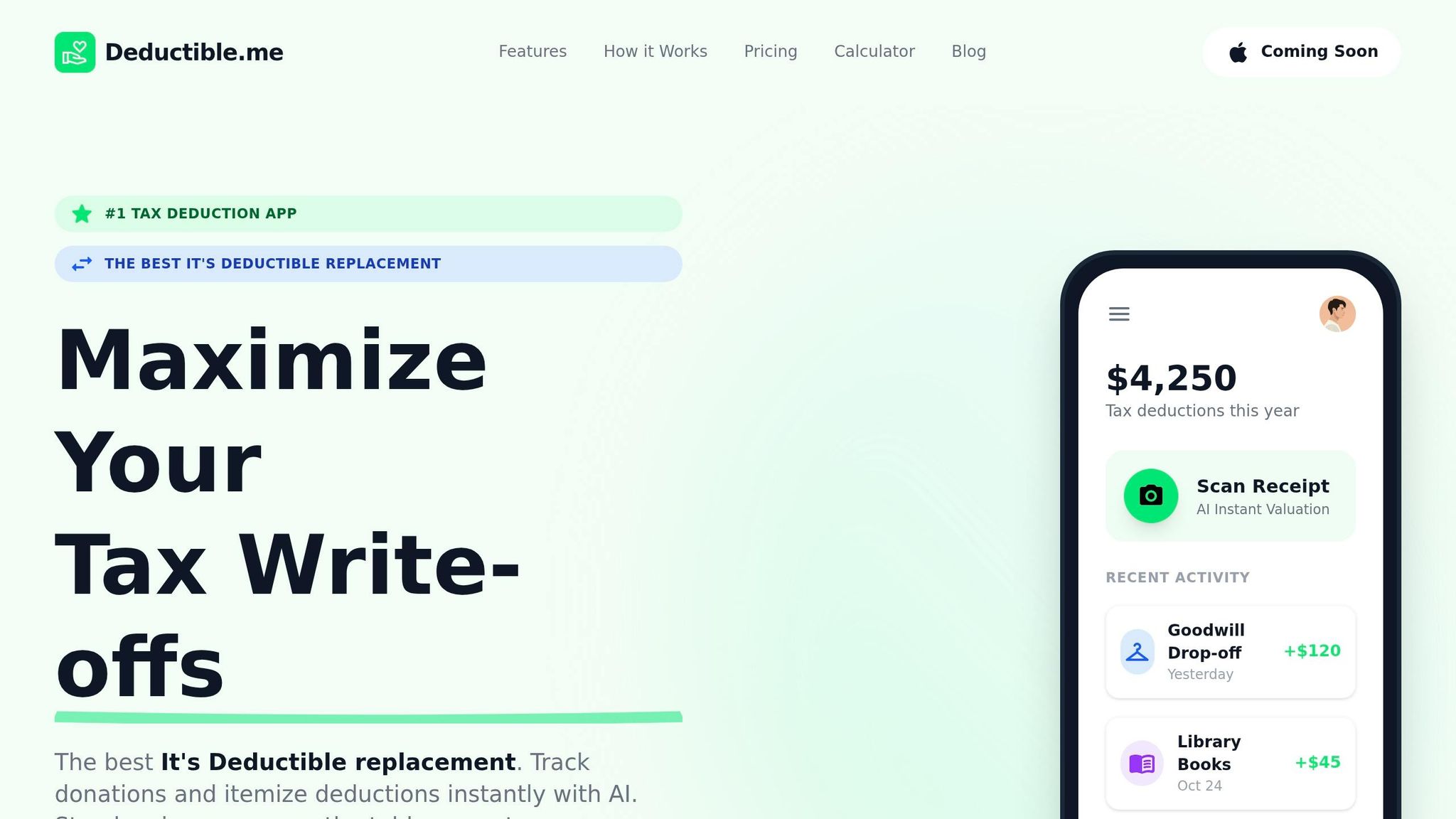
Deductible.me is designed to tackle the specific security and compliance needs of donors, meeting all the criteria listed above.
The platform includes AI-powered valuation, which analyzes photos of donated items and suggests IRS-compliant Fair Market Values based on their condition. This eliminates uncertainty and ensures deductions are audit-ready.
With its advanced receipt management system, Deductible.me lets you track unlimited donations under the Premium plan for just $2 per month. You can attach photos for visual proof, generate Form 8283-ready reports, and summarize your annual giving effortlessly [1]. Plus, its secure cloud infrastructure automatically backs up all your data, protecting it from device loss or failure.
Deductible.me’s web app is compatible across devices, enabling you to capture receipts on your phone within 24–48 hours - before thermal paper receipts fade - and access them later when preparing taxes [7].
Additionally, the platform supports a seven-year retention period for donation records, exceeding the IRS's three-year standard. This extended timeline offers peace of mind, ensuring your records are available in case of a future audit [7].
sbb-itb-e723420
How to Strengthen Access Security
After selecting a secure platform for storing your donation receipts, the next step is ensuring robust access protection. Even the most secure storage can be compromised if your account is vulnerable to unauthorized logins. With stolen credentials accounting for about 68% of breaches [13], safeguarding access to your account is essential to keep your donation receipts secure.
Set Up Two-Factor Authentication (2FA)
Two-factor authentication (2FA) adds an extra layer of security to your accounts. The Federal Trade Commission explains it well:
"Using two-factor authentication is like using two locks on your door - and is much more secure" [10].
Even if someone manages to steal your password through phishing or a data breach, they won’t be able to access your account without the second authentication factor.
Authentication factors fall into three categories: what you know (like a password), what you have (such as an authenticator app), and what you are (biometric data) [10]. Combining at least two of these factors significantly improves security.
Choose an authenticator app over SMS codes. Apps like Google Authenticator, Microsoft Authenticator, or Authy generate time-sensitive codes directly on your device. As the FTC notes:
"Using an app is safer because the passcode isn't susceptible to a SIM card swap attack or to someone hacking your email" [10].
For iPhone users, the built-in verification code feature in Settings > Passwords offers a simple alternative without needing additional apps [11].
When setting up 2FA, you’ll also receive recovery codes - usually 8 to 10 one-time-use codes that allow account access if you lose your device. Store these codes securely, avoiding easily accessible digital copies [19,22]. For the highest level of security, consider a hardware security key like YubiKey ($45–$70) or Google Titan ($30–$35) to defend against phishing attacks [13].
Password Management Tips
While 2FA is vital, strong password practices are equally important for protecting your accounts. Creating unique, complex passwords for every account is critical, but managing dozens of them can feel overwhelming. That’s where password managers come in - they generate and store unique credentials for each platform, so you only need to remember one master password [21,24].
Aim for passwords with at least 15 characters, using a mix of uppercase and lowercase letters, numbers, and symbols [12]. Alternatively, consider using a passphrase - a series of unrelated words separated by spaces, such as "purple-elephant-bicycle-sunset-47." These are easier to remember but still difficult for attackers to crack.
Always use unique passwords for each account. If one platform is breached, attackers often try those credentials on other sites - a practice known as credential stuffing [10]. Password managers eliminate this risk by ensuring every login has a different password.
Treat answers to security questions like passwords. Don’t rely on easily guessed or publicly available information, such as your hometown or pet’s name. Instead, create long, random responses and store them securely [12].
Finally, export your encrypted password vault periodically and store it separately from your main device [14]. This ensures you’ll still have access to your accounts if something happens to your password manager. Many password managers also offer "Emergency Access" features, allowing a trusted contact to access your vault in case of an emergency.
How to Handle and Back Up Digital Receipts
Once you've secured your account access, the next step is to safeguard your digital receipts from potential loss. Issues like hardware failures, accidental deletions, or natural disasters can wipe out years of donation records. Since the IRS requires you to keep donation records for at least three years from your filing date - and seven years is recommended for more complex financial situations - having a solid backup plan is just as important as securing your accounts [1][8].
Convert Receipts to Secure Formats
Always save your digital receipts as PDFs. This format is widely accepted, non-editable, and retains all the key details the IRS requires: the charity's name, donation date, amount, and any goods or services you received in return [3][9]. Sarah Lalonde, Trainer at DonorPerfect, emphasizes:
"Official donation receipts that are produced electronically must have a printed copy or be kept in an unalterable format" [9].
For email receipts, download them as PDFs immediately. To add an extra layer of security, store these files in password-protected folders. If you have paper receipts - especially thermal ones that fade over time - scan them to PDF using your phone or a scanner as soon as possible. When donating physical items like clothing or furniture, take photos of the items, document their condition, and note their fair market value to support your deduction claims. Once converted, ensure these PDFs are stored securely.
Establish a Reliable Backup System
Adopt the 3-2-1 backup rule: keep three copies of your receipts, stored on two different types of media (like your computer and a cloud service), with one copy stored off-site. This method protects your records from risks like fire, theft, or system failures.
Automating your backups can help you avoid forgetting this crucial step. Platforms like Deductible.me offer automatic cloud backups that sync your receipts across devices while keeping them encrypted [15]. If you manage receipts manually via email, set up a BCC rule to forward each receipt to a secure administrative inbox [9]. At the end of every month, compile your receipts into a single PDF file with a clear naming convention - such as "April_2026_Receipts.pdf" - to keep everything organized and easy to search.
To ensure your backups remain intact, verify them quarterly. Check that all files are accessible and confirm that your cloud storage provider uses end-to-end encryption. This ensures your data is protected even if the service experiences a breach. Following this thorough backup routine not only keeps your receipts safe but also ensures you're fully prepared for any audits.
Maintain Security Over Time
Keeping your digital receipts secure isn't something you can set and forget. It requires consistent effort to guard against new and evolving threats. Even the best passwords and backups need periodic updates to remain effective. By staying vigilant and building on your secure storage, access controls, and backup practices, you can help ensure your records stay protected.
Update Security Settings Regularly
Security isn't static. Apps and storage platforms frequently release updates to address vulnerabilities that hackers might exploit. To stay protected, set your devices to automatically update key apps like Deductible.me, your cloud storage service, and your operating system. These updates often include critical patches that safeguard your encrypted files from emerging threats.
Make it a habit to review your security settings every few months. This means verifying that end-to-end encryption is active, checking who has access to shared folders, and ensuring your backups are syncing correctly. The good news? Deductible.me takes care of enforcing these updates for you, offering continuous protection without extra effort on your part.
Monitor Your Account Activity
Make time each month to log in and review your account activity. Look for any unfamiliar receipts or unexpected changes to your donations. Check access logs to identify unauthorized logins. To catch issues early, enable fraud alerts or set up email notifications for new device logins - this way, you can quickly address any irregularities.
Avoid These Common Mistakes
Long-term security also means steering clear of common missteps. Here are a few to watch out for:
- Using unsecured storage: Always store receipts in encrypted formats to prevent unauthorized access.
- Relying on unencrypted devices: Avoid keeping digital files on USB drives or external hard drives without password protection.
- Mixing personal and business records: The IRS highlights poor record-keeping as a leading cause of denied deductions [7]. Keep personal, business, and charitable records separate to simplify audits and quickly locate specific receipts when needed.
Conclusion and Key Takeaways
Keeping your digital receipts safe doesn’t require a complicated process - just a few essential steps. Start by opting for secure storage with end-to-end encryption. Add an extra layer of protection with two-factor authentication and strong, unique passwords. Follow the 3-2-1 backup rule: keep three copies of your files, use two different media types, and store one copy off-site. Finally, make it a habit to periodically review your security settings and account activity to ensure everything is in order.
Since 1997, the IRS has allowed digital receipts, but they must be legible and complete to be valid [6]. Poor recordkeeping leads to 20% to 30% of all disallowed business expenses in audits each year [6]. Keeping your receipts organized and encrypted is not just about convenience - it’s essential for protecting your deductions. If you’re claiming donations over $250, don’t forget to obtain a contemporaneous written acknowledgment before filing [1].
For a smoother experience, you might want to use a dedicated tool. Apps like Deductible.me streamline the entire process by consolidating your records on a secure platform. With features like AI-powered valuation for non-cash donations, automatic IRS-compliant reporting, and cloud-based storage, you can capture receipts as soon as you donate. Plus, it handles encryption, backup syncing, and compliance checks automatically - so you can focus on giving, not paperwork.
FAQs
What details must a digital donation receipt include to be IRS-valid?
To comply with IRS regulations, a digital donation receipt must include the following details:
- Charity's Name: Clearly state the name of the organization.
- Donor's Name: Include the full name of the individual or entity making the donation.
- Date of Contribution: Specify the exact date the donation was made.
- Description of Donation: Provide details about the donated items or the monetary amount.
- Statement on Goods or Services: Indicate whether any goods or services were provided in return for the donation.
Make sure all these elements are included to ensure the receipt meets tax compliance standards.
How can I verify my receipt backups will still work if my phone or laptop is lost?
To keep your receipt backups safe and accessible, even if your device is lost, make sure to store them in a cloud-based system or an external backup that's separate from your device. Cloud storage is a great option because it provides automatic backups and lets you access your receipts from anywhere. Plus, the IRS accepts digital copies as long as they're complete, accurate, and easy to retrieve. By using a secure backup system, you can stay compliant and ensure your receipts are always within reach.
What should I do if I think my donation-receipt account was hacked?
If you think your donation-receipt account has been hacked, it’s crucial to act fast. Start by reviewing your account for any suspicious transactions or changes. If you notice anything unusual, immediately reset your password and verify your identity through the platform’s security process.
Next, enable multi-factor authentication for added protection and update your security settings to strengthen your account. Don’t forget to contact the organization directly to report the issue and confirm the status of your account. Taking quick action can help safeguard your personal information and donation history.